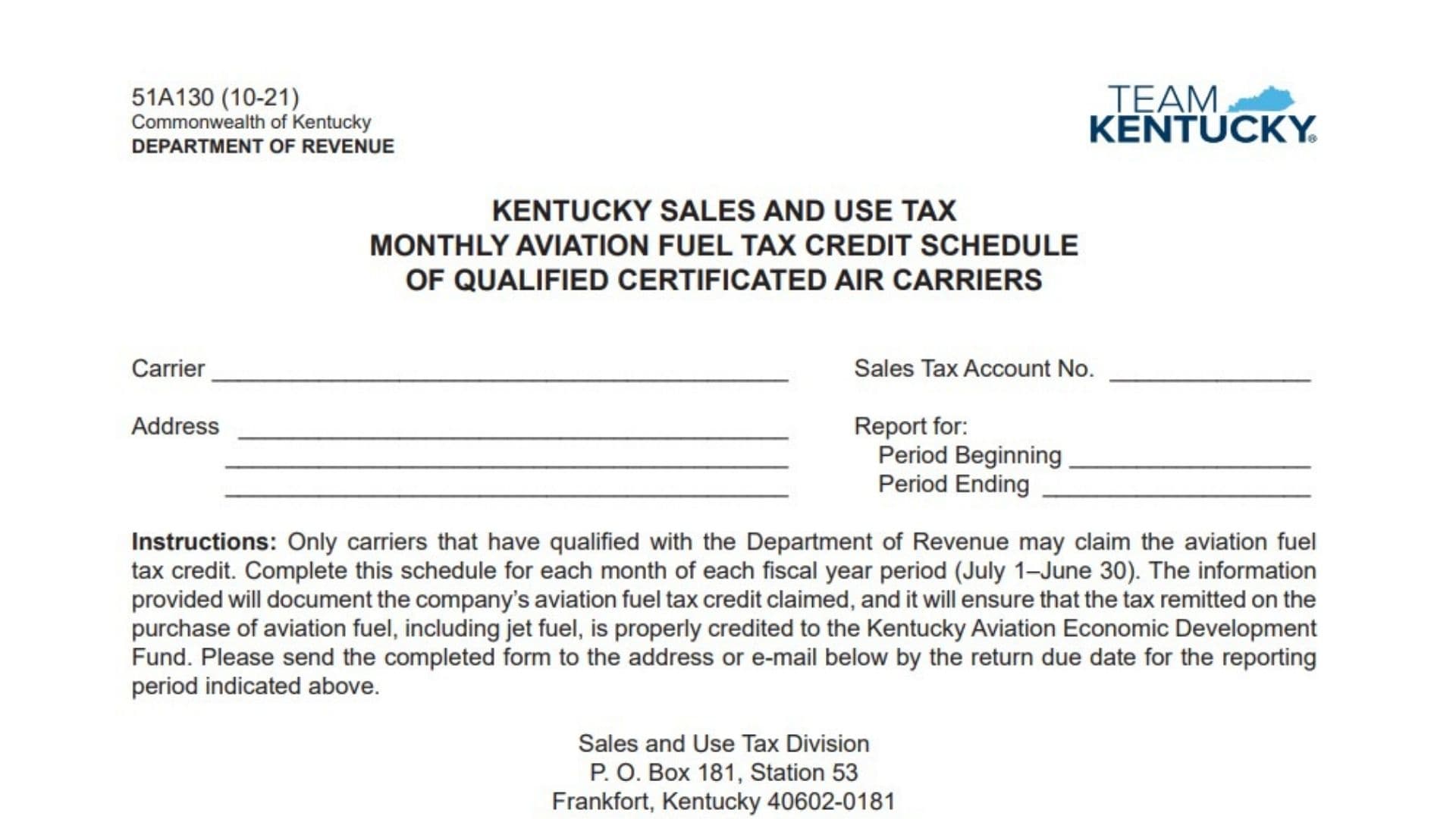
Form 51A130 is the Kentucky Sales and Use Tax Monthly Aviation Fuel Tax Credit Schedule used by qualified certificated air carriers to report and calculate the aviation fuel tax credit they are claiming. The schedule documents the amount of aviation fuel tax paid, including tax related to jet fuel purchases, and helps apply the eligible credit to the Kentucky Aviation Economic Development Fund process. Only air carriers that have received qualification approval from the Kentucky Department of Revenue may use this schedule to claim the aviation fuel tax credit. The form is completed monthly during each fiscal year reporting period, which runs from July 1 through June 30. The information entered on this schedule must accurately show aviation fuel purchase amounts, applicable sales and use tax, compensation adjustments, yearly tax totals, credit thresholds, and the credit amount being claimed for the current month. Completing the form correctly helps ensure that the aviation fuel tax credit is properly calculated and reported.
How To File Form 51A130
Qualified certificated air carriers should complete this schedule for each month of the applicable fiscal year period. The completed form should be submitted by the reporting due date for the applicable period.
Before completing Form 51A130, prepare the following information:
- Carrier identification details.
- Sales tax account number.
- Business address.
- Reporting period dates.
- Aviation fuel purchase information included on the monthly sales and use tax return.
- Previous month Form 51A130 information needed for year-to-date calculations.
The completed schedule should be sent to the Kentucky Department of Revenue, Sales and Use Tax Division, using the submission information provided for the reporting period.

How To Complete Form 51A130
Complete each section carefully and enter all amounts in the appropriate spaces.
Carrier Information
Carrier
Enter the legal name of the qualified certificated air carrier completing the schedule.
Sales Tax Account Number
Enter the carrier’s Kentucky sales tax account number.
Address
Provide the business mailing address of the carrier.
Report For
Enter the reporting period covered by the schedule.
Period Beginning
Enter the first date of the reporting period.
Period Ending
Enter the final date of the reporting period.
Monthly Aviation Fuel Tax Credit Calculation
The calculation section determines the aviation fuel tax credit available for the reporting month.
Line 1: Purchase Price of Aviation Fuel Included on Line 23 of This Month’s Sales and Use Tax Return
Enter the total purchase price of aviation fuel reported on Line 23 of the monthly sales and use tax return. This amount represents the aviation fuel purchases used for calculating the credit.
Line 2: Gross Kentucky Sales and Use Tax Applicable to This Month’s Aviation Fuel Purchases
Calculate the gross Kentucky sales and use tax by multiplying Line 1 by 0.06. Enter the resulting tax amount.
Calculation:
Line 1 × 6% = Line 2
Line 3: Compensation
Calculate the compensation amount by multiplying Line 2 by 0.01.
The compensation amount cannot be more than $50. If the calculation exceeds $50, enter only the maximum allowed amount.
Calculation:
Line 2 × 1% = Line 3
Maximum amount: $50
Line 4: Net Kentucky Sales and Use Tax on Aviation Fuel Purchases
Subtract Line 3 from Line 2 to determine the net Kentucky sales and use tax amount related to aviation fuel purchases.
Calculation:
Line 2 − Line 3 = Line 4
Line 5: Current Fiscal Year Tax on Aviation Fuel Purchases Through This Month
Calculate the total aviation fuel tax paid during the current fiscal year through the current reporting month.
Add Line 5 from the previous month’s Form 51A130 to the amount reported on Line 4 of the current form.
Calculation:
Previous month Line 5 + Current month Line 4 = Line 5
For the first month of the fiscal year, use the applicable starting amount according to the reporting calculation requirements.
Line 6: Tax Credit Threshold
Enter the applicable tax credit threshold amount used to determine whether the carrier qualifies for a credit.
Line 7: Total Fiscal Year Tax Credit Through This Month
Calculate the total fiscal year tax credit by subtracting Line 6 from Line 5.
Calculation:
Line 5 − Line 6 = Line 7
If Line 5 is less than $1,000,000, enter zero instead of calculating a credit amount.
Line 8: Aviation Fuel Tax Credit Applicable This Month
Calculate the aviation fuel tax credit available for the current month by subtracting the previous month’s Form 51A130 Line 7 amount from the current month’s Line 7 amount.
Calculation:
Current month Line 7 − Previous month Form 51A130 Line 7 = Line 8
This amount represents the aviation fuel tax credit being claimed for the current reporting month.
Declaration And Signature Section
After completing all calculations, the authorized individual must review the schedule and confirm that the information provided is accurate.
Signature
The responsible person must sign the form to declare that the schedule has been reviewed and is complete and correct to the best of their knowledge.
Title
Enter the signer’s official job title or position within the organization.
Date
Enter the date the form is signed.
Final Review Before Filing
Before submitting Form 51A130, review the following items:
- Confirm that the carrier name and sales tax account number are correct.
- Verify that the reporting period dates are accurate.
- Make sure aviation fuel purchase amounts match the related sales and use tax return information.
- Check all calculation lines for accuracy.
- Confirm that Line 3 compensation does not exceed the allowed limit.
- Verify that the fiscal year calculations include the correct previous month information.
- Review the tax credit threshold calculation.
- Confirm that Line 8 reflects only the current month’s applicable aviation fuel tax credit.
- Ensure the declaration section is completed with the required signature, title, and date.
- Submit the completed schedule by the required reporting deadline.