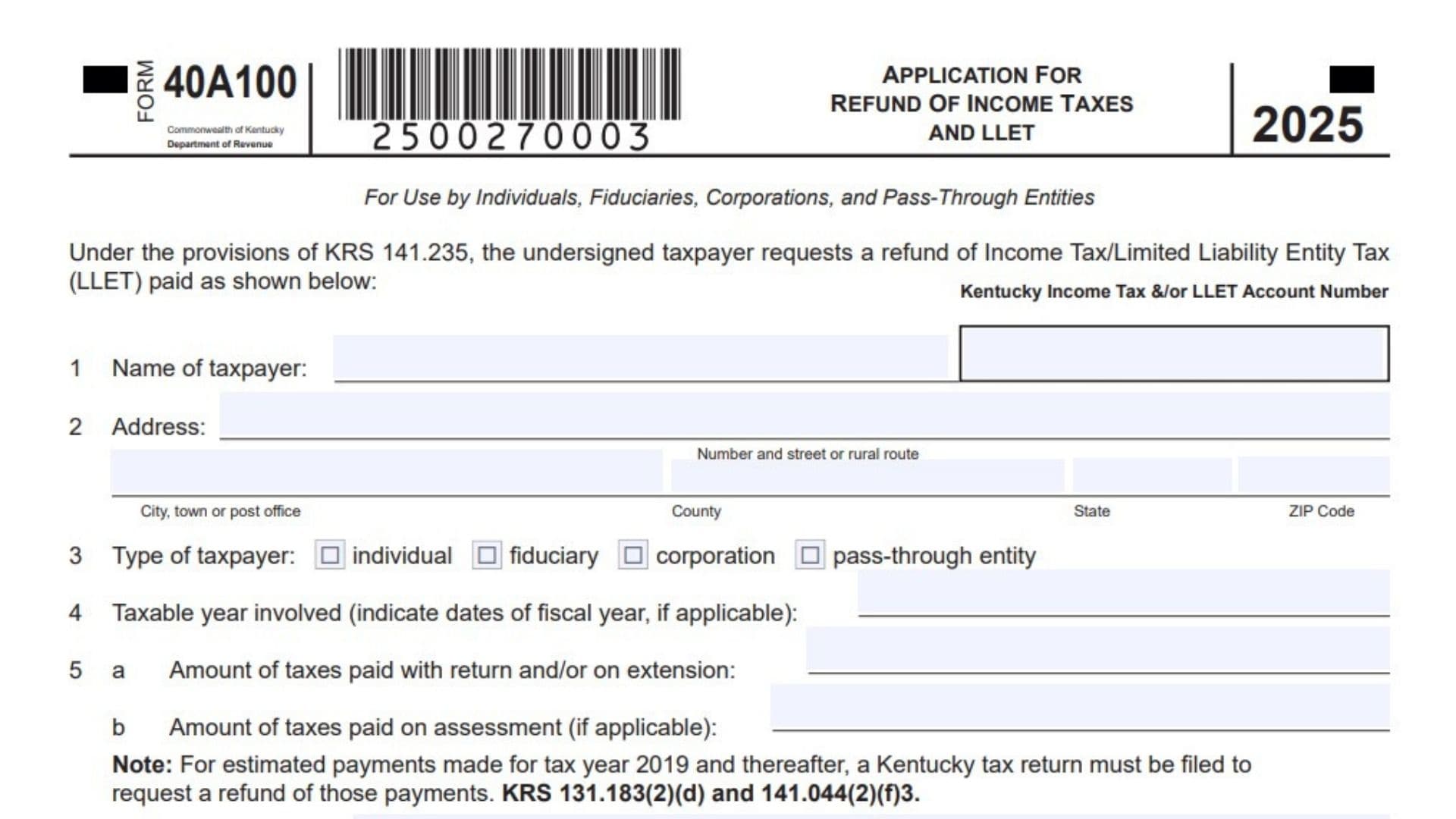
This article explains Kentucky Form 40A100, which is the Application for Refund of Income Taxes and LLET. It is an official form used by individuals, fiduciaries, corporations, and pass-through entities who need to request a refund for overpaid income tax or limited liability entity tax under Kentucky law. This form requires specific details about the taxpayer, the tax year involved, the dates and amounts of payments made, and a clear explanation of why a refund is justified. It is important to know that for estimated payments made for tax year 2019 and later, a regular Kentucky tax return must be filed to request that specific refund, rather than using this application alone. For other refund requests, this form serves as a formal application to the Kentucky Department of Revenue, making it a critical document for recovering taxes that were paid in error, overpaid on an assessment, or paid with an extension that exceeded the final tax liability.
How To File Kentucky Form 40A100
To file this form, begin by entering your Kentucky income tax or LLET account number in the space provided at the top right of the page. Next, complete all the numbered lines carefully, ensuring your name, address, taxpayer type, and tax year are correct. Gather your payment records so you can accurately list the amounts paid, the dates of those payments, and any validation numbers printed on your canceled checks by the department. You must also write a clear statement explaining why you are entitled to the refund, and you may attach extra schedules if you need more space. Once the form is complete, read the certification statement, sign and date the bottom in the correct signature block for your taxpayer type, and mail the application to the Kentucky Department of Revenue in Frankfort, Kentucky.

How to Complete Kentucky Form 40A100
Account Number: Kentucky Income Tax Or LLET Account Number
Enter your Kentucky income tax account number or LLET account number in the designated box at the top right of the application. This ensures your refund request is matched to the correct taxpayer account.
Line 1: Name Of Taxpayer
Write the full legal name of the individual, fiduciary, corporation, or pass-through entity requesting the refund. Use the exact name associated with the tax payments and the account number provided.
Line 2: Address
Enter the complete mailing address for the taxpayer. This includes the number and street or rural route, followed by the city, town or post office, the county, the state, and the ZIP code.
Line 3: Type Of Taxpayer
Check the box that correctly identifies your taxpayer type. Select either individual, fiduciary, corporation, or pass-through entity to match how the taxes were originally filed and paid.
Line 4: Taxable Year Involved
Enter the taxable year for which you are requesting the refund. If your tax year is a fiscal year rather than a standard calendar year, indicate the specific beginning and ending dates of that fiscal period.
Line 5A: Amount Of Taxes Paid With Return And Or On Extension
Enter the total amount of taxes that were paid when the return was filed or when an extension was requested. Do not include estimated payments made for tax year 2019 and later, as those require a tax return filing for a refund.
Line 5B: Amount Of Taxes Paid On Assessment
If you paid taxes because of a specific assessment by the department, enter that amount here. This is separate from the taxes paid with your return or extension.
Line 6: Dates Of Payments
List the exact dates when the tax payments included on lines 5a and 5b were made. If multiple payments were made, ensure all corresponding dates are listed.
Line 7: Validation Number Imprinted By This Department
Enter the validation number the department printed on your check when the payment was processed, if you paid by check. If you made more than one payment, list each payment date and its corresponding validation number separately.
Line 8: Amount Of Tax Refund Requested
Enter the exact total dollar amount you are requesting as a refund. This amount should align with the payment details and the justification provided on the form.
Line 9: Statement Of Taxpayers Justification For Refund Request
Write a clear and complete explanation of why you are entitled to this refund. If the provided lines do not offer enough space, attach a separate schedule with your detailed justification.
Signature: Signature Of Taxpayer Or Authorized Person
Sign and date the form on the first signature line if you are filing as an individual or acting as an authorized person. By signing, you certify under penalties of perjury that you owe no other taxes to Kentucky and that the application is true, complete, and correct.
Signature: Spouses Signature If Tax Paid By Joint Return
If the taxes were paid on a joint return, your spouse must also sign and date the application on this line. Both signatures are required for joint refund requests.
Signature: Signature Of Principal Corporation Officer Or Chief Accounting Officer
If the taxpayer is a corporation or pass-through entity, an authorized principal officer or chief accounting officer must sign and date the form here. This signature legally binds the business entity to the certification statement.
Signature: Signature And Firm Or Employer Of Preparer
If a paid preparer or someone other than the taxpayer filled out this application, that person must sign the bottom line. They should also include their firm or employer name.