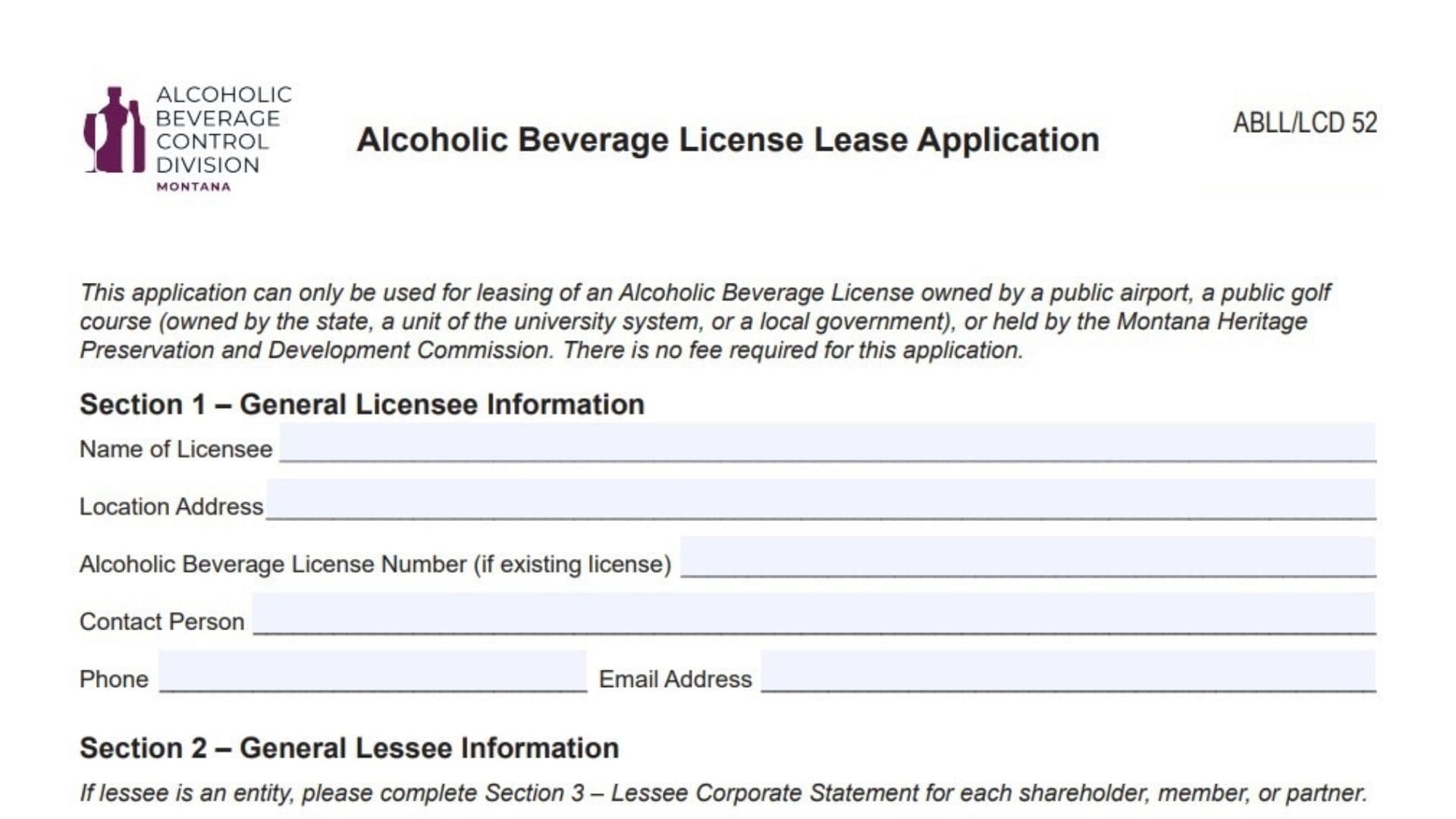
The Montana Alcoholic Beverage License Lease Application, identified as form ABLL/LCD 52, is a specialized document utilized for leasing liquor licenses from specific public bodies. It is exclusively for agreements where the license is owned by a public airport, a public golf course (owned by the state, a university system unit, or local government), or the Montana Heritage Preservation and Development Commission. The primary purpose of this form is to facilitate the legal transfer of operating rights from the public owner (licensee) to a private operator (lessee). The application gathers comprehensive data regarding both parties, including corporate structures, ownership stakes, and management personnel details. While the submission of this form does not require an application fee, it mandates a thorough collection of supporting documentation, such as lease agreements, detailed floor plans, and financial records, to ensure compliance with Montana’s alcoholic beverage control regulations.
How To File The Application
To file this application, you must compile the completed form along with all mandatory attachments into a single package. The required documents include lease agreements, floor plans, bank signature cards, IRS identification proofs, manager applications, and personal history statements with fingerprint cards. Once assembled, mail the entire packet to the Montana Department of Revenue, Alcoholic Beverage Control Division, at PO Box 1712, Helena, MT 59624-1712. For any inquiries or assistance regarding the process, applicants can contact the division directly at (406) 444-6900 or send a fax to (406-444-0722).

How To Complete The ABLL Form
Section 1: General Licensee Information
Name Of Licensee
Enter the full legal name of the public entity that currently owns the license, such as the specific airport authority or government-owned golf course.
Location Address
Provide the physical street address where the licensed premises are situated.
Alcoholic Beverage License Number
If an existing license number is already associated with the premises, enter that number here.
Contact Person
List the name of the designated representative for the license owner who can address questions about the application.
Phone And Email Address
Enter the direct telephone number and email address for the licensee’s contact person.
Section 2: General Lessee Information
Name Of Lessee(s)
Write the legal name of the individual or business entity that is leasing the license. If the lessee is a corporation or similar entity, Section 3 must also be completed.
Identification Numbers
Provide the Federal Employer Identification Number (FEIN) if the lessee is a business, or a Social Security Number if applying as an individual.
Business Name
Enter the “Doing Business As” (DBA) or trade name that the establishment will use for public operations, if it differs from the legal name.
Contact Person
List the primary contact individual for the lessee who is authorized to handle application matters.
Telephone, Cell Phone, And Fax
Fill in the contact person’s landline, mobile phone number, and fax number.
Email Address
Provide a valid email address for the lessee for official correspondence.
Mailing Address
Enter the complete mailing address for the lessee, including street or PO Box, city, state, and ZIP Code.
Location Manager Name
Write the name of the person who will be responsible for the day-to-day management of alcohol sales and service at the location.
Section 3: Lessee Corporate Statement
Shareholders, Members, Or Partners
This area is required for all business entities other than sole proprietorships. For each owner, provide:
- Name: The full legal name of the shareholder, member, or partner.
- SSN: Their Social Security Number.
- Address: Their residential address.
- Date Of Birth: Their date of birth.
- Ownership: The actual number of shares held and the percentage of total ownership interest.
- Note: If additional space is needed, attach separate pages.
Officers And Directors
List the executive leadership of the entity. For each officer or director, provide:
- Name: Full legal name.
- SSN: Social Security Number (optional).
- Address: Residential address.
- Date Of Birth: Date of birth (optional).
- Title: Official corporate title held (e.g., President, Secretary).
Section 4: Additional Application Materials
Lease Agreements
Include a copy of the lease, concession, or any other binding agreement between the lessee and the public agency owning the premises.
Floor Plan
Submit a floor plan on standard 8.5″ x 11″ paper. This diagram must show approximate dimensions, external boundaries, and the general layout. Clearly mark specific areas for alcohol service, sales, and storage. The plan must also label the establishment name, physical address, and date.
Bank Signature Card
Provide a copy of the bank signature card for the business account used to pay operating expenses.
FEIN Documentation
Attach official proof of the Federal Employer Identification Number as assigned by the IRS.
Location Manager Application
Include a completed application form for the designated location manager.
Personal History And Fingerprints
For every individual with an ownership interest or management role, submit a Personal History Statement and two fingerprint cards.
Tax Information Authorization
Attach a signed Authorization to Disclose Tax Information form for the Alcoholic Beverage Control Division.
Section 5: Declaration And Affidavit
Declaration Statement
Review the legal statement affirming that the signer is authorized and that all provided information is true and correct under penalty of false swearing.
Signature Block
The applicant or authorized representative must complete this section to validate the form.
- Signature: Sign the document.
- Date: Enter the date of signing.
- Printed Name: Print the signer’s name legibly.
- Title: State the signer’s official capacity or title.