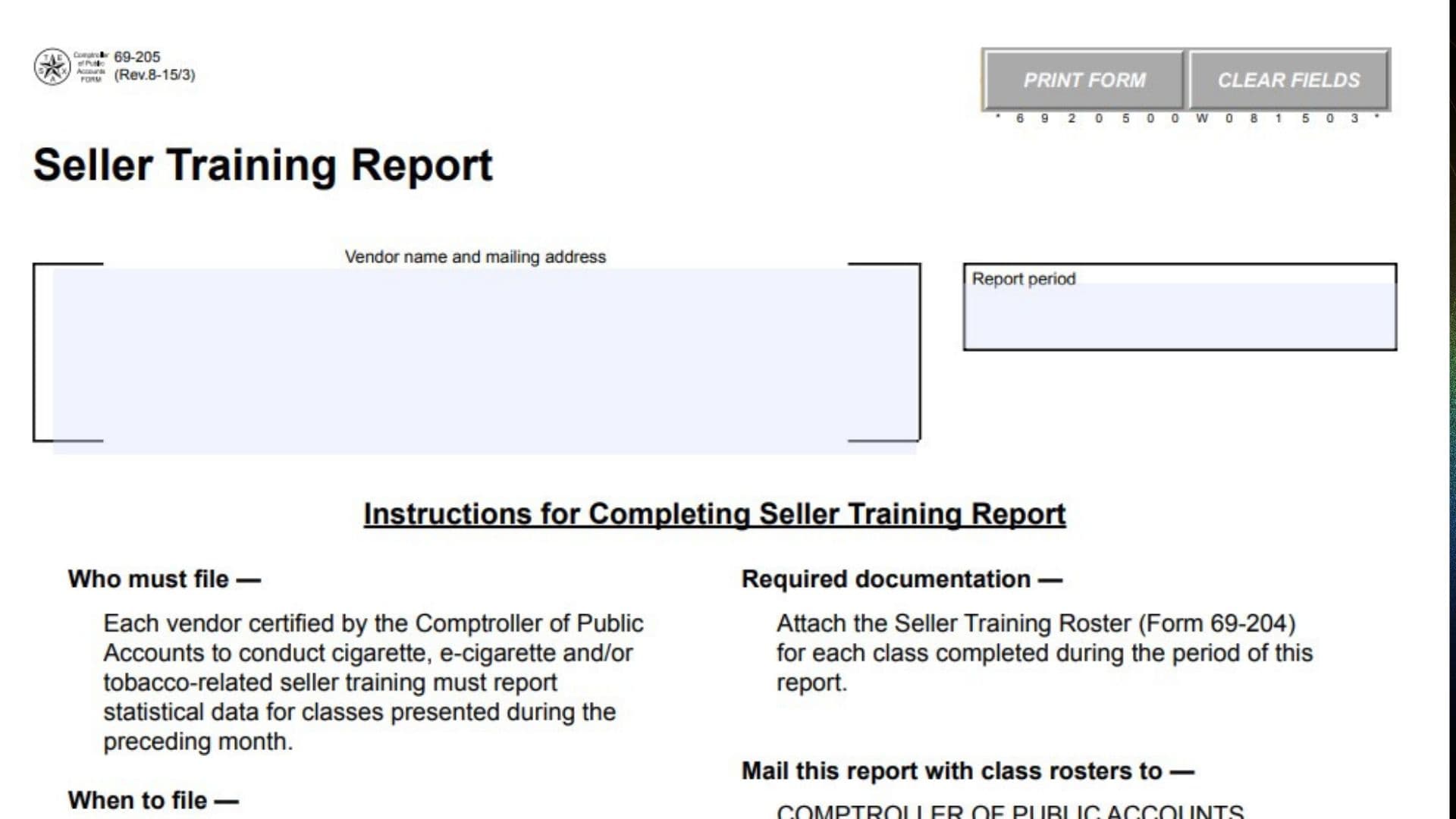
Texas Form 69-205, known as the Seller Training Report, is a reporting document used by vendors certified by the Texas Comptroller of Public Accounts to conduct cigarette, e-cigarette, and tobacco-related seller training. Its purpose is to collect statistical information about the training classes conducted during the preceding month and provide the Comptroller with an overview of the vendor’s training activities. The form records the vendor’s name and mailing address, the reporting period, the number of training classes scheduled, the number of classes actually conducted, the total number of participants who attended training, and the number of participants who successfully completed the training. These figures help document the vendor’s training activity and distinguish between scheduled classes, completed sessions, attendance, and successful training completion. The report must be filed by every vendor certified by the Comptroller to provide the relevant seller training, even though the form focuses on statistical information rather than individual participant details. To support the reported figures, the vendor must attach a Seller Training Roster, Form 69-204, for each class completed during the reporting period. The vendor or an authorized agent must also declare that the information in the report and its attachments is true and correct to the best of their knowledge. The report includes spaces for the vendor’s or authorized agent’s signature, business telephone number, and date. Filing Form 69-205 accurately and on time is important because it provides the Comptroller with the required monthly training statistics and supporting class records. The report must be submitted by the 15th day of the month following the month in which the training was completed.
How To File Form 69-205
Each vendor certified by the Texas Comptroller of Public Accounts to conduct cigarette, e-cigarette, or tobacco-related seller training must submit Form 69-205.
The report covers training activities conducted during the preceding month. It must be completed with the appropriate statistical information and accompanied by the required Seller Training Rosters.
When To File Form 69-205
Form 69-205 must be filed on or before the 15th day of the month following the month in which the training was completed.
For example, if training classes were completed during October, the report must be submitted by November 15.
Report the training statistics for the applicable reporting period rather than combining information from unrelated months.
Where To Submit Form 69-205
Mail the completed Seller Training Report together with the required class rosters to:
Comptroller of Public Accounts
P.O. Box 12010
Austin, Texas 78711-2010
Required Supporting Documentation
The form specifically requires vendors to attach a completed Seller Training Roster (Form 69-204) for each class completed during the reporting period.
Prepare the following before submitting the report:
- Completed Form 69-205.
- Seller Training Roster (Form 69-204) for every class completed during the reporting period.
- Vendor’s name and mailing address.
- Reporting month and year.
- Total number of classes scheduled.
- Total number of classes conducted.
- Total number of participants who attended.
- Total number of participants who completed training.
- Vendor or authorized agent’s signature.
- Business telephone number.
- Date of certification.
Make sure the statistical figures in Form 69-205 are consistent with the information documented in the attached class rosters.

How To Complete Form 69-205
Form 69-205 is a one-page report containing vendor identification details, reporting period information, four statistical reporting items, and a final declaration.
Complete the form from top to bottom using the instructions below.
Vendor Information
Vendor Name And Mailing Address
Enter the complete name and mailing address of the vendor certified by the Texas Comptroller to conduct seller training.
Provide the official business or vendor name and the full mailing address, including the street address or mailing location, city, state, and ZIP code.
Use the address where the vendor can receive official correspondence regarding the training report.
Report Period
Enter the month and year covered by the Seller Training Report.
The report period must correspond to the preceding month in which the training classes were conducted.
For example, if the report covers training completed in September 2026, enter September 2026.
Make sure the reporting period is consistent with the class rosters attached to the report.
Training Session Data For The Report Period
This section contains four numbered items that collect the statistical information required by the Comptroller.
Report the figures for the specific reporting period entered at the top of the form.
1. Total Number Of Classes Scheduled
Enter the total number of seller training classes scheduled during the reporting period.
Count every class that was included in the vendor’s training schedule for that month.
This figure represents planned training sessions, not only the classes that were successfully conducted.
For example, if the vendor scheduled 12 training classes during the month, enter 12.
2. Total Number Of Classes Conducted
Enter the total number of training classes that were actually conducted during the reporting period.
Count the classes that took place, rather than including sessions that were only scheduled but never held.
For example, if 12 classes were scheduled but only 10 were conducted, enter 10.
The number reported here may be lower than the scheduled class total.
3. Total Number Of Participants Who Attended Training
Enter the combined number of participants who attended the training classes conducted during the reporting period.
Calculate this figure by adding the attendance numbers from all relevant classes.
For example, if three classes had 15, 18, and 12 participants respectively, the total number of participants who attended would be 45.
Use the actual attendance records and ensure that the figures are supported by the corresponding class rosters.
4. Total Number Of Participants Who Completed Training
Enter the combined number of participants who completed the required training during the reporting period.
Use the completion information recorded for each class to calculate the total.
For example, if 45 participants attended the classes but only 40 completed training, enter 40.
This figure should represent participants who completed training, not everyone who attended.
Make sure the completion total is consistent with the attached Seller Training Rosters (Form 69-204).
Vendor Declaration And Certification
The final section contains the vendor’s declaration confirming the accuracy of the information submitted.
Declaration Of Accuracy
The vendor or authorized agent must declare that the information provided in Form 69-205 and all accompanying attachments is true and correct to the best of their knowledge.
Review all reported statistics and supporting class rosters before making this declaration.
The declaration applies to both the main report and the attached documentation.
Vendor Or Authorized Agent
The vendor or an authorized representative must sign in the designated space.
The person signing should have the authority to certify the accuracy of the reported training information on behalf of the vendor.
Business Phone
Enter the vendor’s business telephone number.
Include the appropriate area code and provide a number where the Comptroller’s office can reach the vendor if questions arise regarding the report.
Date
Enter the date on which the vendor or authorized agent signs the declaration.
Use the actual signing date and make sure it is clearly recorded.
How To Complete And Attach Form 69-204
Form 69-205 requires a Seller Training Roster (Form 69-204) for each class completed during the reporting period.
The roster serves as supporting documentation for the statistical information reported in the monthly Seller Training Report.
Follow these requirements:
Separate Roster For Each Completed Class
Prepare a separate Form 69-204 for every training class completed during the reporting period.
Do not use a single roster to represent multiple separate classes unless the applicable roster instructions specifically permit it.
Match Rosters With The Reporting Period
Check that every attached roster relates to a class completed during the month identified in Form 69-205.
Verify Attendance And Completion Figures
Use the class rosters to support the total participant attendance and completion figures reported in Items 3 and 4.
Attach All Required Rosters
Include the completed rosters with the Seller Training Report when mailing the submission.
The form does not provide a separate electronic submission procedure or an alternative method for submitting the required rosters.
Assistance And Contact Information
If you have questions about Form 69-205 or the seller training reporting requirements, contact the Texas Comptroller of Public Accounts.
Toll-Free Telephone: 1-800-531-5441
Extension: 6-5946
Austin Telephone: 512-936-5946
Contact the Comptroller if you need clarification about reporting requirements, monthly filing procedures, or the supporting Seller Training Roster documentation.
Final Review Before Filing
Before mailing Form 69-205, review the report and all supporting documents to ensure that the vendor information, reporting period, training statistics, and certification are complete.
Use the following checklist:
- Entered the vendor’s complete name.
- Provided the vendor’s full mailing address.
- Entered the correct reporting month and year.
- Reported the total number of classes scheduled.
- Reported the total number of classes actually conducted.
- Calculated the total number of participants who attended training.
- Calculated the total number of participants who completed training.
- Checked the attendance and completion figures against the class records.
- Prepared a separate Seller Training Roster (Form 69-204) for each completed class.
- Attached all required class rosters.
- Confirmed that the supporting rosters correspond to the reporting period.
- Reviewed the declaration of accuracy.
- Obtained the vendor’s or authorized agent’s signature.
- Entered the business telephone number.
- Provided the actual certification date.
- Checked the report and attachments for missing information.
- Confirmed that the report will be submitted by the 15th day of the following month.
- Prepared the completed report and class rosters for mailing.
Where To Mail The Completed Form
Comptroller of Public Accounts
P.O. Box 12010
Austin, Texas 78711-2010
For Assistance:
- Toll-Free: 1-800-531-5441, Extension 6-5946.
- Austin: 512-936-5946.
Accurately completing Form 69-205 helps certified vendors maintain proper records of their cigarette, e-cigarette, and tobacco-related seller training activities. Report the scheduled classes, conducted classes, attendance, and training completions separately, attach a Form 69-204 for every completed class, and submit the report by the required monthly deadline.