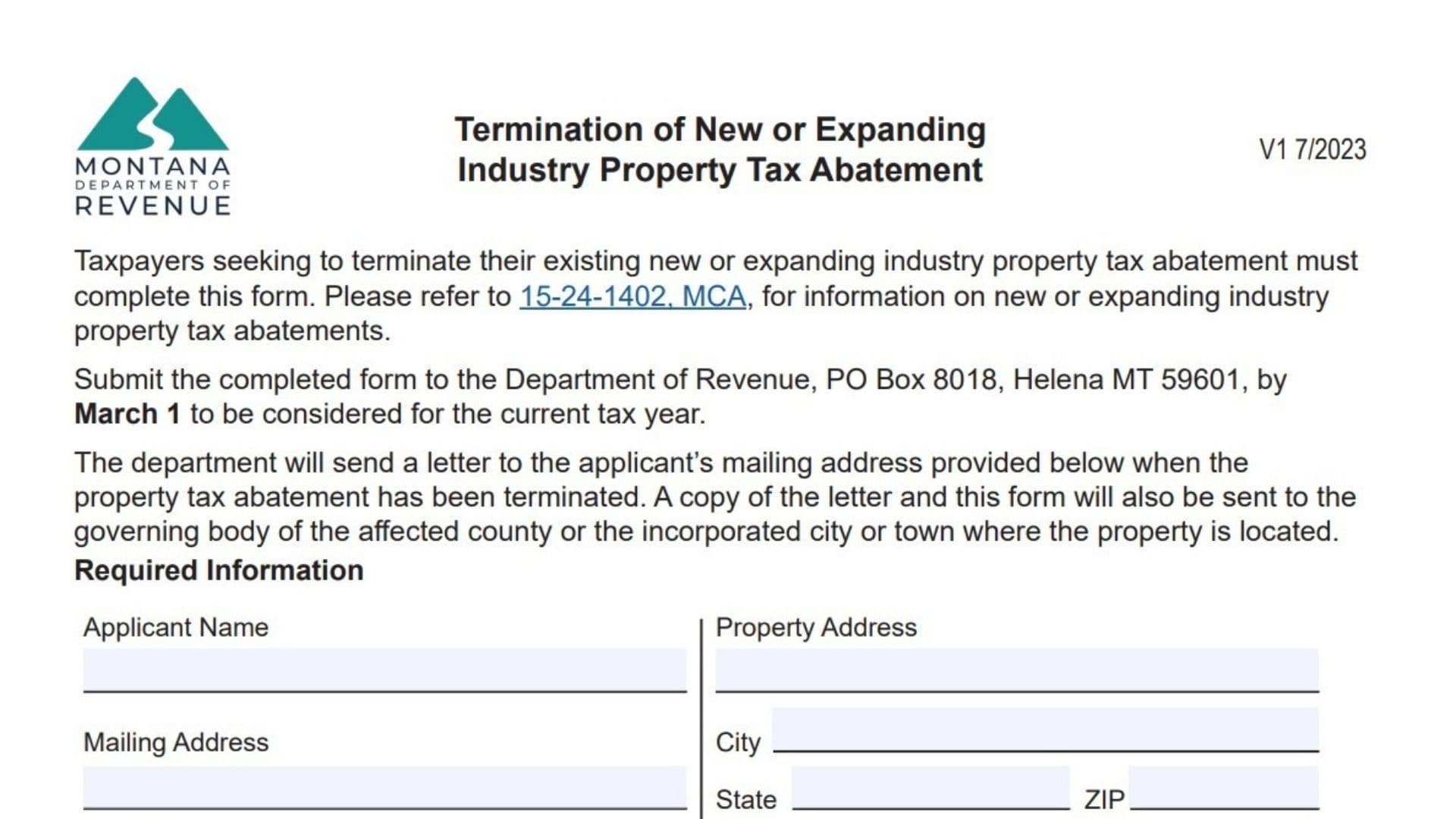
The Montana Termination of New or Expanding Industry Property Tax Abatement Form is used by taxpayers who want to officially end an existing property tax abatement granted for a qualifying new or expanding industry property. Property tax abatements are incentives provided to encourage economic development and investment in Montana. However, situations can change. A business may close, restructure, relocate, or simply decide it no longer wants to maintain the abatement status. In those cases, the property owner must formally request termination through this form so that the Montana Department of Revenue can update tax records and notify the local governing authorities. Completing the form accurately ensures the termination request is processed correctly and prevents issues with property tax assessments for future tax years. This guide explains each section clearly so property owners, business operators, and tax professionals can complete the request confidently and without errors.
What This Form Is Used For
This form allows a taxpayer to request that the Montana Department of Revenue terminate an existing New or Expanding Industry Property Tax Abatement. The request must be submitted before the specified deadline in order to take effect for the current tax year. Once the department processes the request, a confirmation letter will be mailed to the applicant and copies will also be sent to the local government authority where the property is located.
How To File The Termination Form
After completing the form, submit it to the Montana Department of Revenue. The request should be mailed to the department’s property assessment division. To ensure the termination applies to the current tax year, the form must be submitted before the annual deadline. The department will review the request and notify both the applicant and the local government authority once the abatement has been terminated.

How To Complete The Form: Line-By-Line Instructions
Required Information Section
Applicant Name
Enter the full legal name of the individual, business, or organization requesting the termination of the tax abatement.
Property Address
Provide the complete physical address of the property that currently has the new or expanding industry tax abatement.
Mailing Address
Enter the mailing address where official correspondence from the Department of Revenue should be sent.
City
Write the city associated with the mailing address.
State
Enter the state for the mailing address.
ZIP
Provide the ZIP code corresponding to the mailing address.
City (Property Location)
Enter the city where the property receiving the tax abatement is located.
County
Provide the county in which the property is located.
State (Property Location)
Enter the state where the property is located.
ZIP (Property Location)
Provide the ZIP code for the property location.
Geocode(s)
Enter the property geocode numbers. These numbers can usually be found on the property classification and appraisal notice.
Provide an email address for communication regarding the termination request.
Contact Phone
Enter a phone number where the applicant or authorized representative can be reached.
Assessment Code(s)
Enter the assessment codes associated with the property. These codes are typically listed on the property classification and appraisal notice.
Termination Request Section
Date Existing Abatement Was Granted
Enter the date when the new or expanding industry property tax abatement was originally approved by the local governing authority.
Date Requesting Termination
Provide the date on which you are requesting that the abatement be terminated.
Effective Tax Year
Indicate the tax year for which the termination should become effective.
Affirmation And Signature Section
This section confirms that the taxpayer is officially requesting the termination of the tax abatement.
Signature
Sign the form to certify that the request is valid and that the information provided is accurate.
Date
Enter the date when the form is signed.
Printed Name
Print the name of the person signing the request.
By signing the form, the applicant confirms that they are requesting termination of the tax abatement on the listed property identification numbers.
What Happens After Submission
After the Montana Department of Revenue receives the form, the department reviews the information and processes the request. Once the termination is approved, a notification letter will be sent to the applicant. A copy of the termination confirmation is also sent to the governing body of the county or city where the property is located so local tax records can be updated.
Tips To Avoid Processing Delays
- Ensure all property identification numbers are accurate
- Verify that the mailing and property addresses are complete
- Confirm the requested termination tax year is correct
- Double-check the signature and printed name before submission
- Submit the form before the required deadline

FAQs
What is a new or expanding industry property tax abatement?
It is a property tax incentive provided to encourage business development and economic growth in Montana.
When should the termination form be submitted?
The form must be submitted before the annual deadline to apply to the current tax year.
Where do I find the geocode or assessment code?
These numbers are listed on the property classification and appraisal notice.
Will the local government be notified after termination?
Yes. The Department of Revenue sends notification to the appropriate county or city authority after the request is processed.