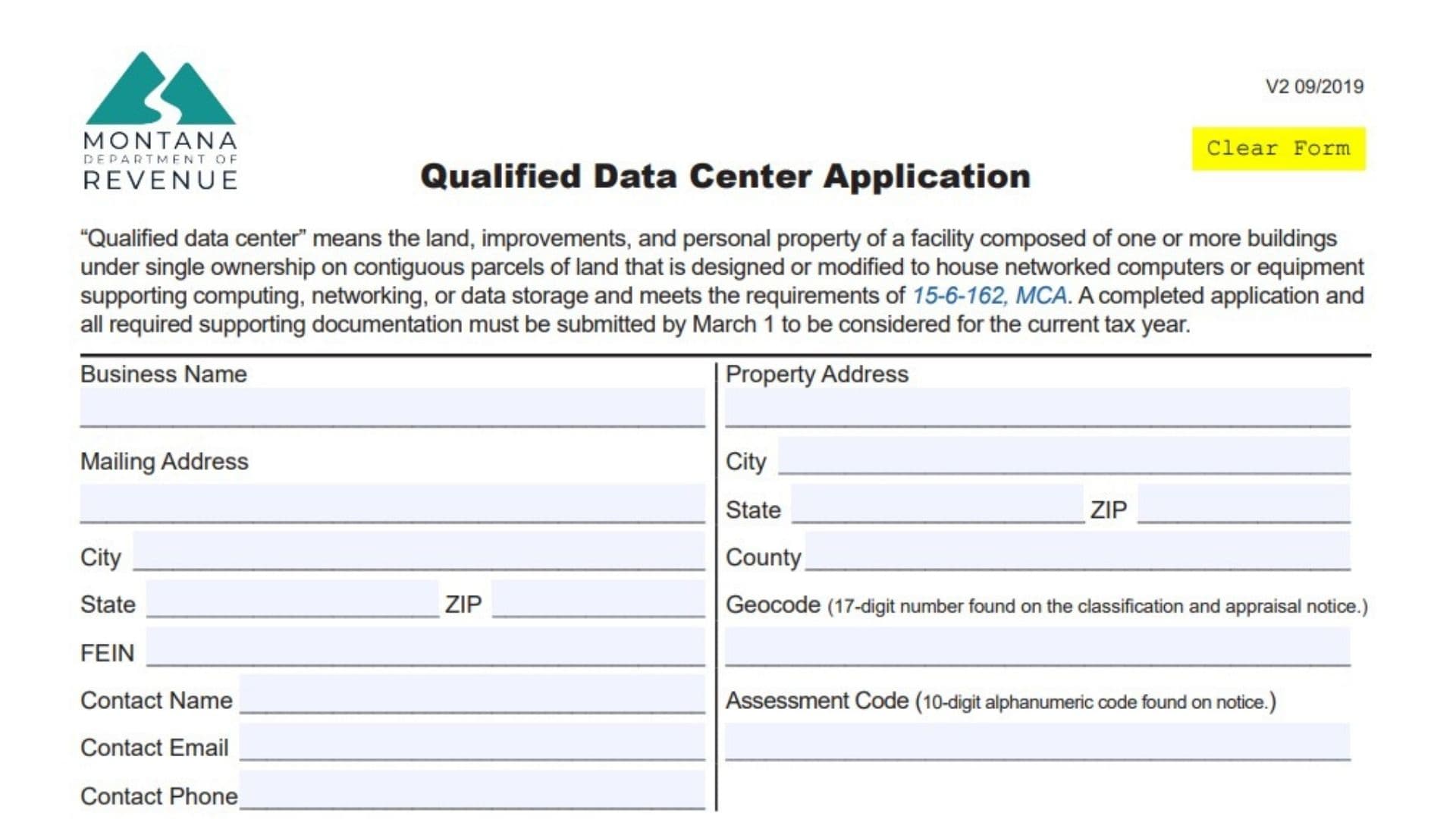
For tech-focused businesses investing in Big Sky Country, the Montana Qualified Data Center Classification Application is the gateway to securing valuable property tax classifications. This form is specifically designed for facilities that house networked computers, data storage, or networking equipment on contiguous parcels of land under single ownership. Its primary purpose is to allow these facilities to apply for a specialized tax status under Montana Code Annotated (MCA) 15-6-162. To qualify, a facility must be a heavyweight in the industry: it requires at least 25,000 square feet of new or expanded space and a massive capital investment of at least $50 million over a 48-month period, with construction starting after January 1, 2019. Successfully filing this application ensures your property—including land, improvements, and equipment—is correctly classified for tax purposes, potentially saving your business millions. However, strict deadlines apply; you must submit the completed form along with all supporting documentation by March 1 to be considered for the current tax year. This guide will walk you through every line to ensure your application is accurate and complete.
How To File The Application
Filing this application is a manual process that involves gathering evidence and mailing physical documents.
- Preparation: Complete the application form and gather all required supporting documentation that proves your investment and construction timeline.
- Deadline: The package must be submitted by March 1 to apply to the current tax year.
- Submission: Mail the signed application and documents to:
Department of Revenue
PO Box 8018
Helena, MT 59604-8018 - Review: After submission, the Department of Revenue will review your materials and send you a letter confirming whether your business qualifies for the classification.

How to Complete Montana Qualified Data Center Classification Application Form
Qualification Checklist
The form begins with a critical “Yes/No” question that determines your eligibility.
- The facility consists of at least 25,000 square feet…: You must check Yes or No.
- Requirement: To check “Yes,” your facility must meet three criteria:
- It has 25,000+ sq. ft. of new/expanded area.
- Total investment (land, improvements, property, software) will hit $50 million within a 48-month period.
- Construction commenced after January 1, 2019.
- Note: If you check “No,” you likely do not qualify for this specific classification.
- Requirement: To check “Yes,” your facility must meet three criteria:
Business And Property Information
This section identifies who is applying and exactly where the facility is located.
- Business Name: Enter the full legal name of the business owning the facility.
- Property Address: Enter the physical street address of the data center.
- Mailing Address: Enter the address where you want to receive official correspondence (if different from the property address).
- City, State, ZIP: Fill in the details for both the property and mailing addresses.
- County: Write the name of the Montana county where the property is located.
- Geocode: Enter the 17-digit number found on your classification and appraisal notice. This uniquely identifies your land parcel.
- Assessment Code: Enter the 10-digit alphanumeric code, also found on your assessment notice.
- FEIN: Enter your Federal Employer Identification Number.
- Contact Name: Provide the name of the person responsible for this application.
- Contact Email: Enter a reliable email address for the contact person.
- Contact Phone: Enter a direct phone number for the contact person.
Facility Description
- General description of the facility: Use the lines provided to write a summary of the facility’s operations and structure. If you need more space to be thorough, you may attach additional pages.
- Construction start date: Enter the exact date construction began.
- Construction completion date: Enter the date construction ended.
- Estimated construction completion date: If the project is still ongoing, enter the expected finish date here.
Affirmation And Signature
This final section is your legal promise that the information is accurate.
- Applicant Signature: The authorized representative must sign here.
- Date: Enter the date of signing.
- Print Name: Clearly print the name of the signer.
- Title: Enter the job title of the signer.
Reminder: Keep a copy of the completed application and all supporting documentation for your own business records before mailing the originals.