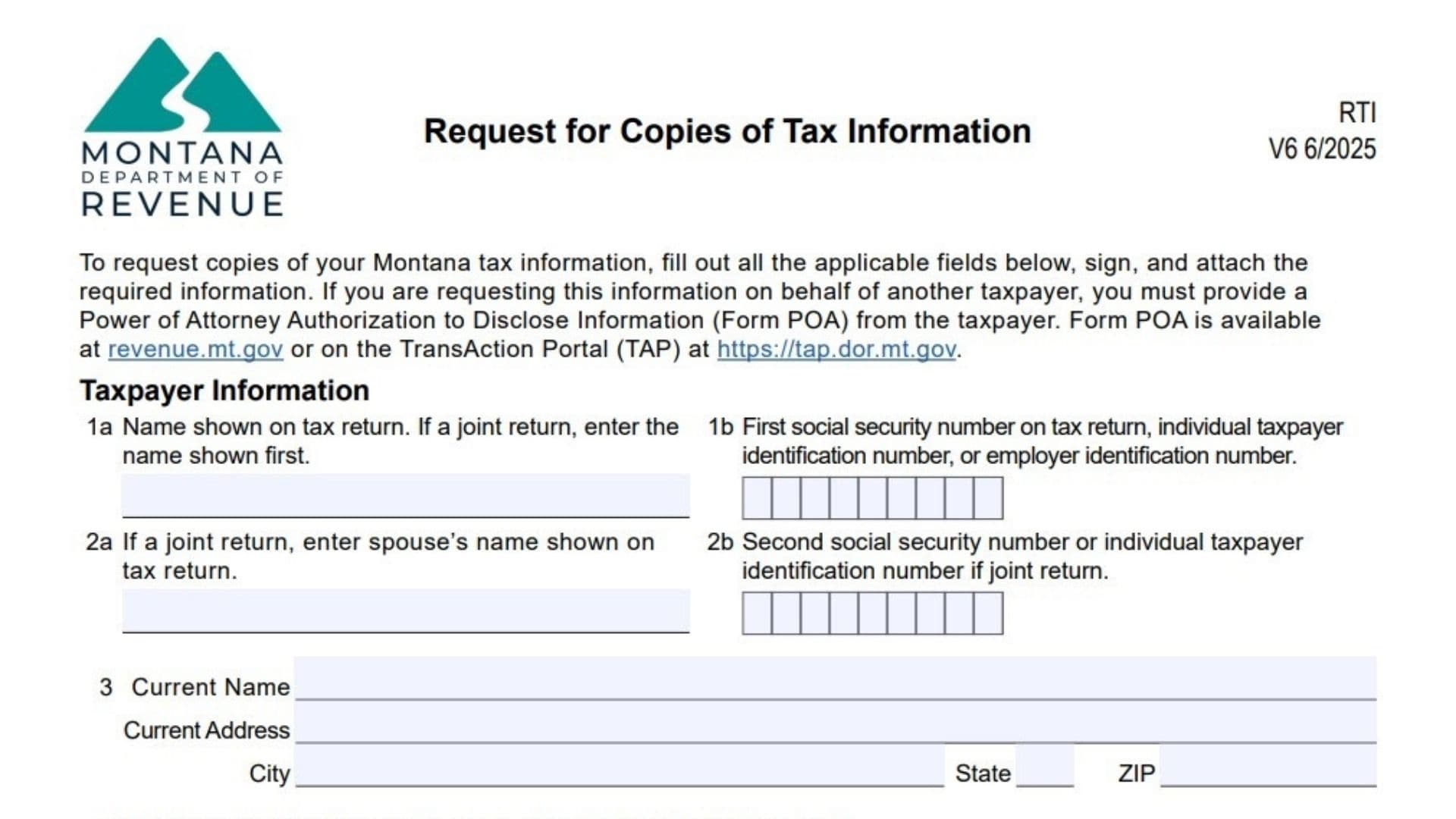
Montana Form RTI is a formal request document submitted to the Montana Department of Revenue by individuals or their authorized representatives to obtain copies of past tax records. This form allows taxpayers to retrieve specific documents such as W-2s, 1099s, previous tax returns (including Form 2), account status reports, or verification of non-filing letters. It is essential for verifying income, resolving tax disputes, or reconstructing lost financial history. The form requires strict identity verification, including a mandatory proof of signature (like a driver’s license copy), and specifies that if a third party is making the request, a Power of Attorney (Form POA) must be on file.
How to File Montana Form RTI
Method 1: Mail or Fax
Send the signed form, along with your proof of identification (copy of ID), to:
Mail to:
Montana Department of Revenue
Attn: Request for Tax Information
P.O. Box 5805
Helena, MT 59604-5805
Fax to: (406) 444-0750
Method 2: Electronic (If applicable)
If you choose to receive information electronically, you must have a Montana File Transfer Service account.
Contact for Questions:
Call (406) 444-6900 or Montana Relay at 711.

How to Complete Montana Form RTI
Taxpayer Information
- Line 1a (Name): Enter the primary name exactly as it appeared on the tax return you are requesting.
- Line 1b (First SSN/TIN): Enter the first Social Security Number or Employer Identification Number associated with the return.
- Line 2a (Spouse’s Name): If requesting a joint return, enter the spouse’s name here.
- Line 2b (Second SSN): If requesting a joint return, enter the spouse’s Social Security Number here.
- Line 3 (Current Name/Address): Provide your current legal name and mailing address (Street, City, State, ZIP).
- Line 4 (Previous Address): If the address on the last filed return is different from your current address, enter that previous address here.
- Line 5 (Phone Number): Enter a daytime phone number for the taxpayer or authorized representative.
Signature of Taxpayer(s)
- Declaration: By signing, you declare you are the taxpayer or an authorized person.
- Proof of Signature: You must attach a copy of a valid ID (Driver’s License, State ID, SSN Card) to the request.
- Signature: Sign the form.
- Date: Enter the date of signing.
Information Requested
Check the box(es) for the specific documents you need and indicate the Year(s) Requested on the line provided.
- Forms W-2, 1099, 1098: Select this to get data from information returns (includes Montana state info). Note: Contact the payer first if possible. Current year info takes 6 months to become available.
- Tax Return(s): Select this for copies of the Montana Individual Income Tax Return (Form 2).
- Sub-option: Check the box below it to include all schedules and supplementals.
- Account Status: Select this for financial status reports, including payments made, penalties, interest, and tax liability.
- Verification of Nonfiling: Select this to request a formal letter confirming no return was filed for a specific year.
Method to Receive Information
Select one method for delivery:
- Mail to: Check this box to have documents mailed.
- Name: Enter the recipient’s name.
- Address: Enter the full mailing address.
- Electronically send: Check this box to use the Montana File Transfer Service.
- Email: Enter the email address associated with your Montana File Transfer Service Account. (You must create an account at transfer.mt.gov first).