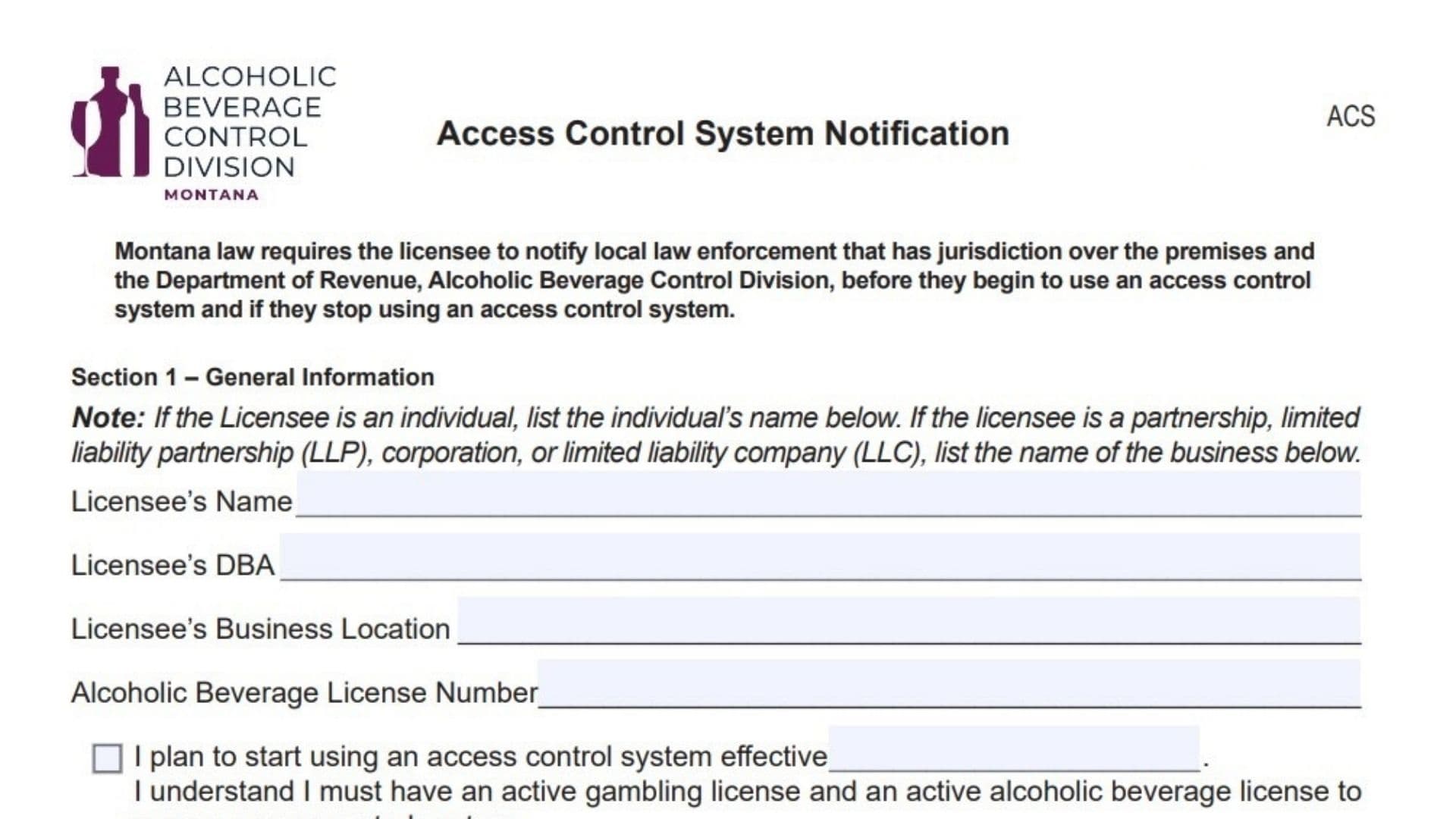
The Montana Department of Revenue Form ACS, titled the Access Control System Notification, is a mandatory regulatory document for alcoholic beverage and gambling licensees. State law requires any licensee who intends to implement or discontinue the use of an access control system to formally notify both the local law enforcement agency with jurisdiction over their premises and the Alcoholic Beverage Control Division. This form acts as the official dual-notification instrument. It confirms that the business holds the necessary active gambling and alcoholic beverage licenses required to operate such a system and establishes the effective dates for starting or stopping its use. By filing this form, licensees ensure they remain compliant with state monitoring regulations regarding entry and security systems.
How To File The Notification
The filing process involves coordination with local authorities before submitting the form to the state. First, you must complete the licensee portion of the form. Next, you are required to take the form to your local law enforcement agency (such as the police department or sheriff’s office) so they can sign Section 2, acknowledging they have been notified of your intent. Once the form is fully executed by both you and the law enforcement representative, make a copy for your own business records. Finally, mail the original completed form to the Montana Department of Revenue, Alcoholic Beverage Control Division, P.O. Box 1712, Helena, MT 59624-1712. If you have questions, you can reach the division at (406) 444-6900 or via fax at (406) 444-0722.

How To Complete Morgana Form ACS
Section 1: General Information
Licensee’s Name
Enter the official name of the license holder. If the license is held by an individual, write that person’s full name. If the licensee is a business entity such as a partnership, LLP, corporation, or LLC, enter the full legal name of the business.
Licensee’s DBA
Provide the “Doing Business As” or trade name under which the establishment operates, if it is different from the legal name listed above.
Licensee’s Business Location
Fill in the physical street address of the business premises where the access control system will be used.
Alcoholic Beverage License Number
Enter your active state-issued alcoholic beverage license number.
Start Date
If you are implementing a new system, enter the specific date on the line that says “I plan to start using an access control system effective.” Note the statement below this line affirming that you must have active gambling and alcohol licenses to proceed.
Stop Date
If you are discontinuing an existing system, enter the specific date on the line that says “I plan to stop using my access control system effective.” You typically fill out only the start or the stop date, depending on the action you are taking.
Section 2: Local Law Enforcement Notification
Law Enforcement Agency
This section must be completed by a representative of your local police or sheriff’s department. They will print the name of their agency here.
Name Of Authorized Representative
The law enforcement officer or official handling the notification must print their name.
Title
The officer or official must state their rank or job title.
Signature And Date
The authorized law enforcement representative must sign and date the form to officially acknowledge that your business has notified them of the change.
Section 3: Licensee Signature
Declaration
Read the declaration statement, which affirms under penalty of false swearing that all information provided is true, correct, and complete.
Licensee Signature
The license holder or their authorized business representative must sign the form here.
Date
Enter the date on which the licensee signs the form.