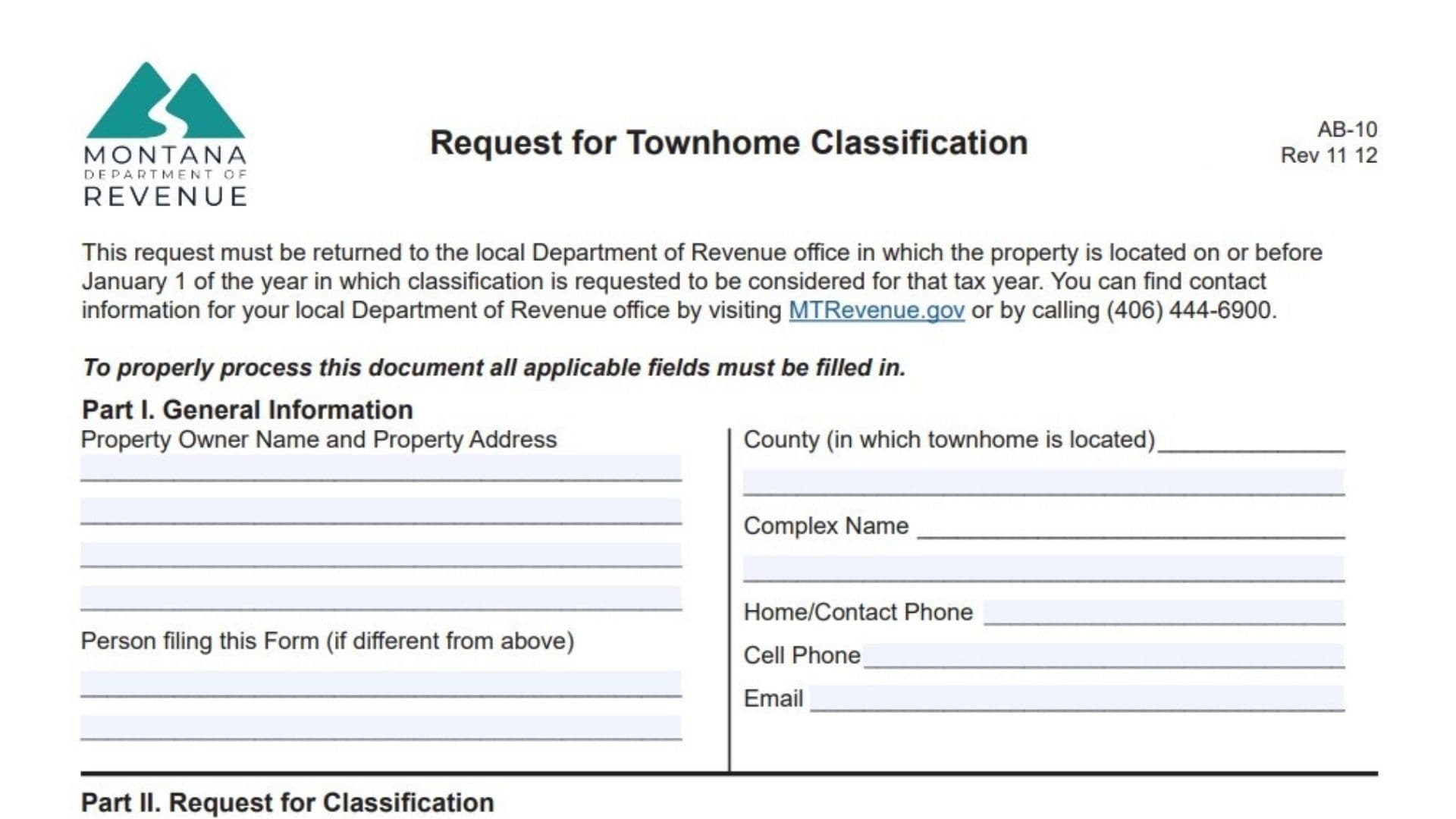
Montana Form AB-10 — the Request for Townhome Classification — is the official application property owners submit to the Montana Department of Revenue to reclassify attached residential units from condominium status to townhome status, which can affect how the property is valued and taxed under Montana law. Condominiums typically have shared ownership of common areas and are assessed differently from townhomes, where individual owners hold both the unit and a specific portion of the underlying land. This form is essential for townhome complexes seeking to change their legal classification for property tax assessment, valuation, and billing purposes. Filing triggers a review by the local Department of Revenue office, which may include a field inspection to verify the property details, land allocation, and compliance with state statutes. The process requires unanimous consent from all unit owners, a detailed legal description, a plat map, and a specific land allocation table showing how the original parcel is divided among the units. Deadlines are strict — the form must reach your local Department of Revenue office on or before January 1 of the tax year for which classification is requested. Successful approval can lead to changes in assessed values, but owners acknowledge that reclassification may increase or decrease their individual tax bills. This form is governed by Montana statutes including § 76-3-611 MCA (requiring current taxes) and § 45-7-202 MCA (penalties for false swearing), making complete accuracy critical.
Who Should File Form AB-10
File this form if:
- Your complex is currently classified as a condominium but meets townhome criteria
- All unit owners agree to the reclassification
- You want the change to apply to the upcoming tax year
- Taxes on the property are current
Contact your local Department of Revenue office at (406) 444-6900 or visit MTRevenue.gov to confirm eligibility before starting.
How To File Form AB-10
Submit the completed, signed, and notarized form to your local Department of Revenue office (the one in the county where the property is located) on or before January 1 of the desired tax year. Find office contact info at MTRevenue.gov or call (406) 444-6900. Attach required documents (plat, site plan, extra pages if needed). All fields must be filled out completely for processing.

How To Complete Montana Form AB-10
Rev 11 12 Note: Read the filing deadline and contact instructions at the top — submit by January 1 for the tax year requested.
Part I — General Information
Property Owner Name and Property Address: Enter the name(s) of the property owner(s) and the full street address of the townhome complex, including city, state, and ZIP.
Person Filing This Form (If Different From Above): If someone other than the listed owner is submitting, enter their full name and contact details.
County (In Which Townhome Is Located): Enter the name of the Montana county where the property sits.
Complex Name: Enter the official name of the townhome complex.
Home/Contact Phone: Enter the primary contact’s home or office phone number.
Cell Phone: Enter the contact’s cell phone number.
Email: Enter the contact’s email address.
Part II — Request For Classification
Townhome Name: Enter the name of the townhome complex.
Legal Description: Provide the complete legal description of the real property where the townhome is located. Include parcel numbers, section/township/range if applicable, and any other identifying details. Be precise — this establishes the property boundaries.
Copy Of The Plat: Attach a copy of the plat map showing the townhome layout. This is mandatory.
Land Allocation Table: Allocate the land to each unit in the complex using the table format. Complete these columns:
- Unit #: List each unit number.
- Units Land Size (Square Foot Or Acre): Assign a specific land size to that unit.
- Repeat for multiple units across the table rows.
- Beginning Total Land: At the top, enter the original parcel size (square feet or acres).
- Remaining Land: At the bottom, enter the new size after allocating to all individual units.
Alternative To Table: Instead of filling the table, attach a site plan that clearly identifies the land allocated to each unit. Use additional pages as needed.
Part III — Signatures Of All Unit Owners
Certification Statement: Each owner certifies the information is accurate, consents to reclassification from condominium to townhome, acknowledges potential valuation/tax changes, and understands penalties for false information under § 45-7-202, MCA.
Owner Signature: Every individual unit owner of record must sign personally.
Printed Name: Print the owner’s full legal name below the signature.
Unit Number: Enter the specific unit number owned by the signer.
Address: Enter the owner’s mailing address.
Date: Enter the date the owner signed.
Note: All unit owners must sign for the form to be accepted. Notarize each signature. Attach extra pages if more space is needed.
Part IV — Notary Seal
STATE OF MONTANA: Leave as is.
County Of: Enter the Montana county where the notarization occurs.
This Instrument Was Acknowledged Before Me On: Enter the date of notarization.
By: Print the name(s) of the signer(s).
Notary Signature: The notary signs here.
Montana Notaries Must Complete:
- Print Name: Notary prints their name.
- NOTARY PUBLIC For State Of: Enter “Montana”.
- Residing At: Enter the notary’s city.
- My Commission Expires: Enter the notary’s commission expiration date.
NOTARY SEAL: Affix the notary seal/stamp.
Exception: Notarization is not required if you attach a notarized bill of sale or signed-off title for the property.
Part V — For Department Of Revenue Office Use Only
Leave this entire section blank. This is for the local Department of Revenue office to complete after review, including field inspection details, reviewer signature, approval/denial decision, and reasons for denial (such as missing plat, incomplete land allocation, missing signatures, mismatched owners, or unpaid taxes per § 76-3-611 MCA).