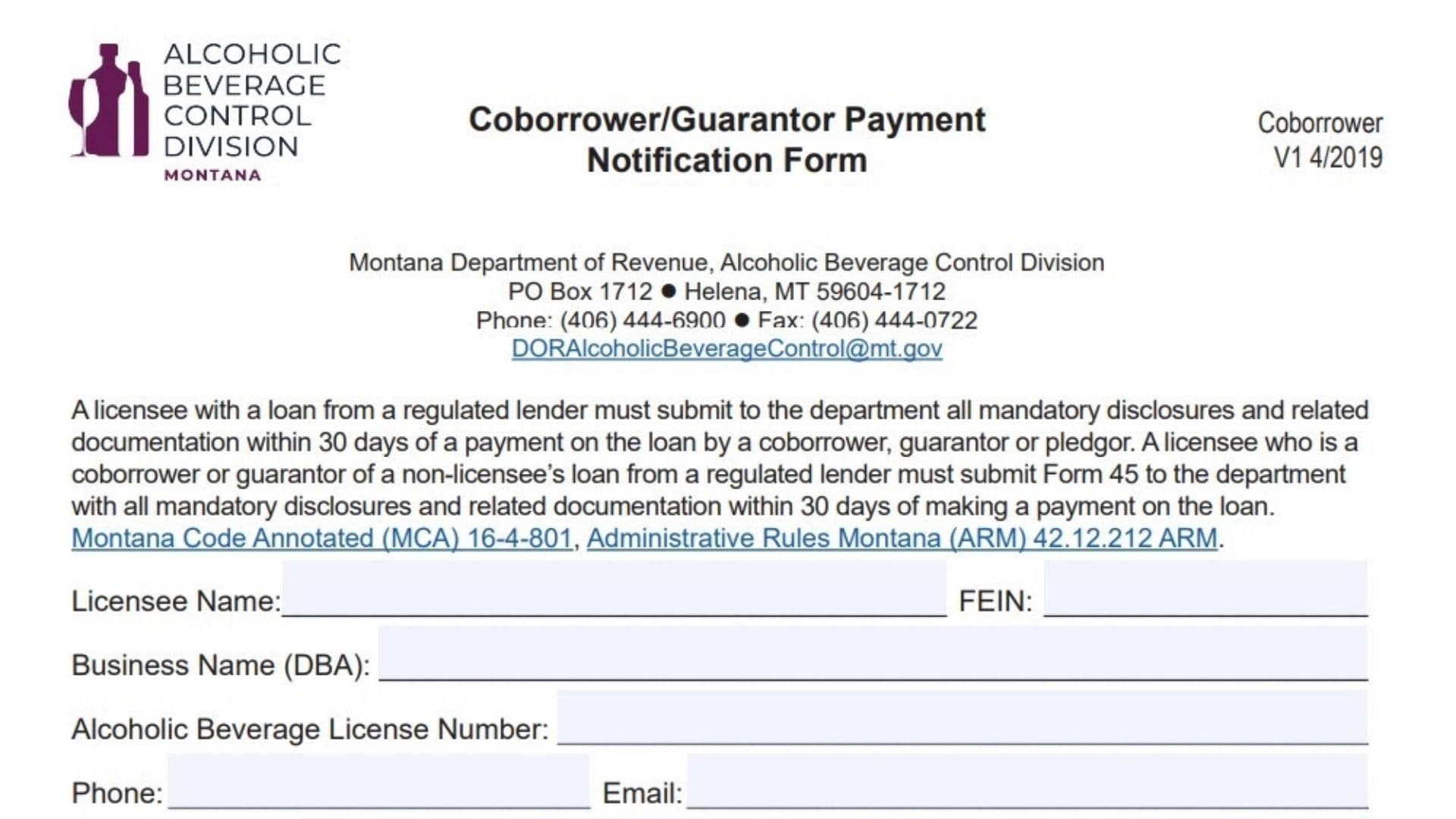
The Coborrower/Guarantor Payment Notification Form is a critical compliance document issued by the Montana Department of Revenue’s Alcoholic Beverage Control Division. Its purpose is to maintain transparency in the financial dealings of liquor licensees by tracking outside payments on regulated loans. Specifically, if a licensee has a loan and a co-borrower, guarantor, or pledgor steps in to make a payment on their behalf, this form must be filed within 30 days of that payment. Similarly, if a licensee acts as a guarantor for someone else and makes a payment on that external loan, they must also report it. The form ensures the state can verify the source of these funds—requiring documentation like bank statements—and clarify whether the payment is considered a new loan or an equity investment in the business. This helps prevent undisclosed financial interests and ensures all funding sources for alcohol-licensed businesses are vetted and legal.
How To File This Notification
Once the form is fully completed and signed, you must gather the necessary supporting documentation, specifically proof of the funding source such as six months of bank statements. The entire package—form plus documents—must be submitted to the Montana Department of Revenue within 30 days of the loan payment event. You can mail the physical documents to the PO Box address listed at the top of the form, or for potentially faster processing, email the scanned copies to the official department email address provided. If you have questions about the specific documentation required, a phone number and fax number are also available on the form for direct contact with the division.

How to Complete Montana Coborrower/Guarantor Payment Notification Form
Section 1: Licensee Information
Start by identifying the licensed entity responsible for filing this report.
- Licensee Name: Enter the legal name of the individual or entity holding the liquor license.
- FEIN: Provide the Federal Employer Identification Number associated with the licensee.
- Business Name (DBA): Write the trade name or “Doing Business As” name under which the establishment operates.
- Alcoholic Beverage License Number: Input the specific state-issued license number for the business.
- Phone: Enter a direct contact number for the licensee.
- Email: Provide a valid email address for official correspondence.
- Mailing Address: Fill in the complete street address, city, state, and zip code where mail should be sent.
Section 2: Loan And Payment Details
This section captures the specifics of the financial transaction that triggered this report.
- Name Of Borrower: List the name of the person or entity originally responsible for the loan.
- Name Of Lender: Write the name of the bank or financial institution that issued the loan.
- Loan Number: Enter the unique account or reference number assigned to this loan by the lender.
- Date Of Default: If the payment was made because the loan went into default, specify that date here.
- Date Of Payment: Enter the exact date when the co-borrower or guarantor made the payment.
- Name Of Coborrower/Guarantor/Pledgor That Made Payment: Clearly identify the individual or entity who actually paid the funds.
- Source Of Financing For The Payment: Describe where the money came from (e.g., personal savings, another business account) and attach the required proof, such as six months of bank statements.
Section 3: Classification And Additional Information
Define how this payment affects the business’s financial structure.
- The Payment Will Be Treated As: Check the appropriate box to indicate if this payment is considered a “Loan” (debt to be repaid) or an “Equity Investment” (buying ownership in the business).
- Additional Information (If Applicable): Use the blank lines provided to add any extra context or details that might help the department understand the transaction.
Section 4: Signature
- Licensee Signature: The authorized representative of the license holder must sign here.
- Print Name: Print the name of the person signing the form.
- Date: Enter the date the form was signed.