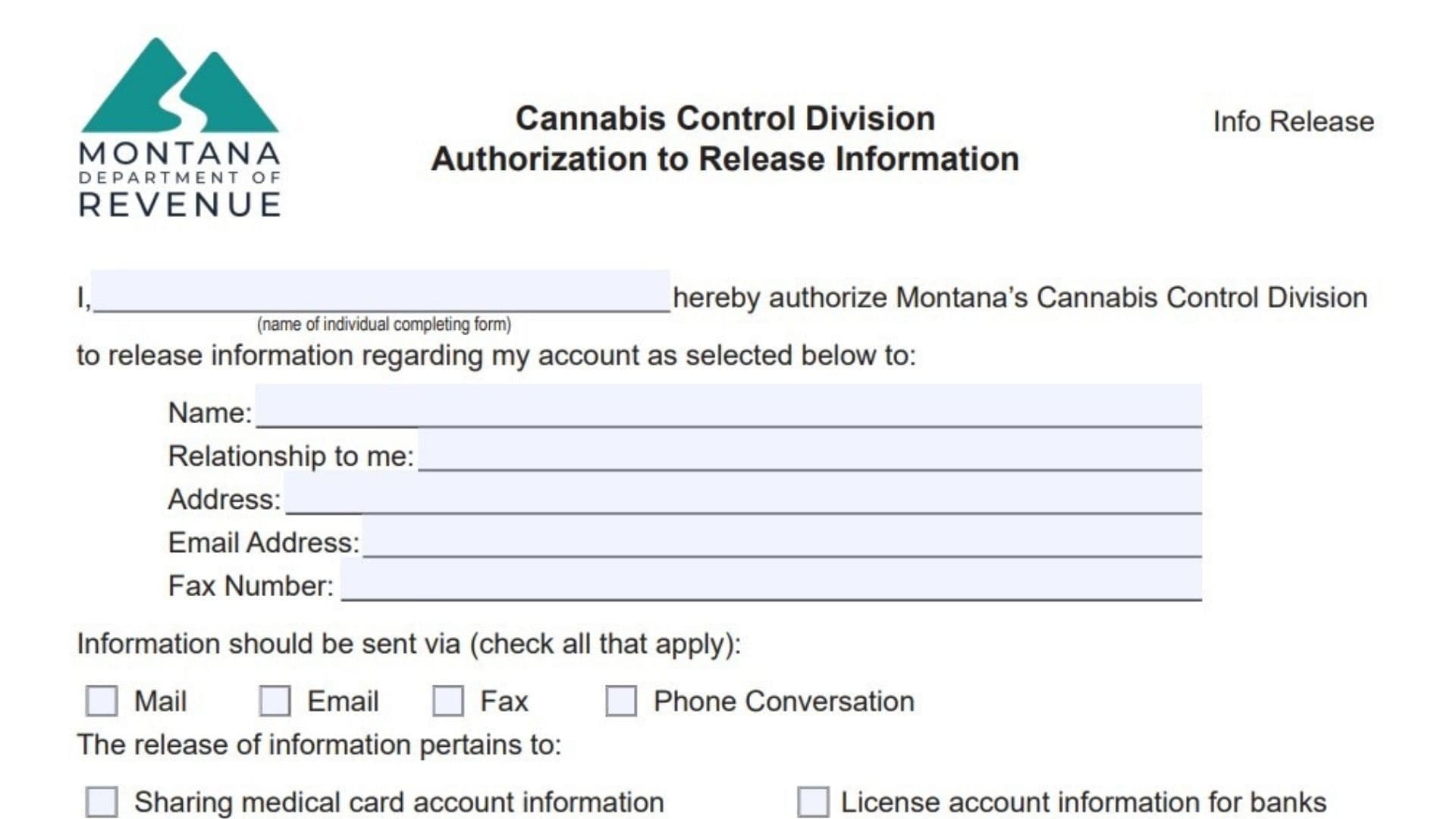
The Authorization to Release Information form (Version V2 5/2023) is a critical privacy document managed by the Montana Department of Revenue’s Cannabis Control Division (CCD). In an industry heavily regulated by strict confidentiality laws, the state cannot simply hand over your sensitive data—whether it is your personal medical marijuana card history or your business license details—to just anyone who asks. This form acts as your official “permission slip,” granting the Division legal authority to discuss your specific account details with a designated third party. This is most commonly used by business owners who need to prove their license status to a bank for a loan, or by medical patients who need a caregiver or power of attorney to access their records. It is vital to understand that this form has a specific, limited scope: it is strictly for sharing information. It does not grant the third party any power to make decisions, manage your business, or act as a controlling beneficial owner. It simply opens the door for communication, ensuring that your private data is only shared with the people you explicitly trust.
How To File This Form
Unlike many other state forms that require physical mail, the Cannabis Control Division has streamlined this process for digital submission.
- Email: Once you have completed and signed the document, scan or save it and email it directly to DORCCD@mt.gov.
- Revocation: Remember that you can revoke this permission at any time by submitting a written request, giving you full control over your data access.

How To Complete The Form
Authorizer Declaration
The form begins with a personal declaration statement.
- Name of individual completing form: Print your full legal name on the first blank line. This statement formally declares that you are authorizing the Cannabis Control Division to release your account information.
Third-Party Information
This section identifies who is allowed to receive your information.
- Name: Enter the full name of the person or organization (like a bank or law firm) you are trusting with your data.
- Relationship to me: Describe how you know this person (e.g., “Banker,” “Attorney,” “Spouse,” “Caregiver”).
- Address: Provide the full mailing address of this third party.
- Email Address: Enter the email address where the Division can send digital records.
- Fax Number: If applicable, provide their fax number.
Communication Method
- Information should be sent via: Check all the boxes that apply to how you want the data delivered. Options include Mail, Email, Fax, or Phone Conversation (if you just want them to be able to talk to the Division).
Scope Of Release
This is the most important section where you define what information can be shared. Check the box that matches your needs:
- Sharing medical card account information: Select this if it regards your patient status.
- License account information for banks: Select this for business banking needs. (Note: The standard info shared here includes “good standing” status, ownership details, and license/site locations).
- Medical history for power of attorney: Select this for legal representation regarding your health records.
- Sharing license account information: Select this for general business license data sharing.
- Other: Select this if your request doesn’t fit the categories above.
- Description Box: If you checked “Other” or need to clarify exactly what data to release, write a detailed description in the blank space provided.
Expiration Date
- Authorization Expiration: By default, this permission expires one year from the date you sign it. If you want it to end sooner or later than that, write a specific date on the line provided.
Signature And Contact
- Signature: Sign the document yourself.
- Date: Enter the current date.
- Printed Name: Clearly print your name again to ensure legibility.
- Phone Number: Enter your direct phone number.
- Street Address: Enter your personal or business street address.
- City, State, ZIP Code: Complete the address details.
Important Warning
- Disclaimer: Read the final note at the bottom. It reminds you that this form is only for releasing information. Do not try to use it to add a manager, owner, or financial interest holder to your license; those actions require different administrative forms.