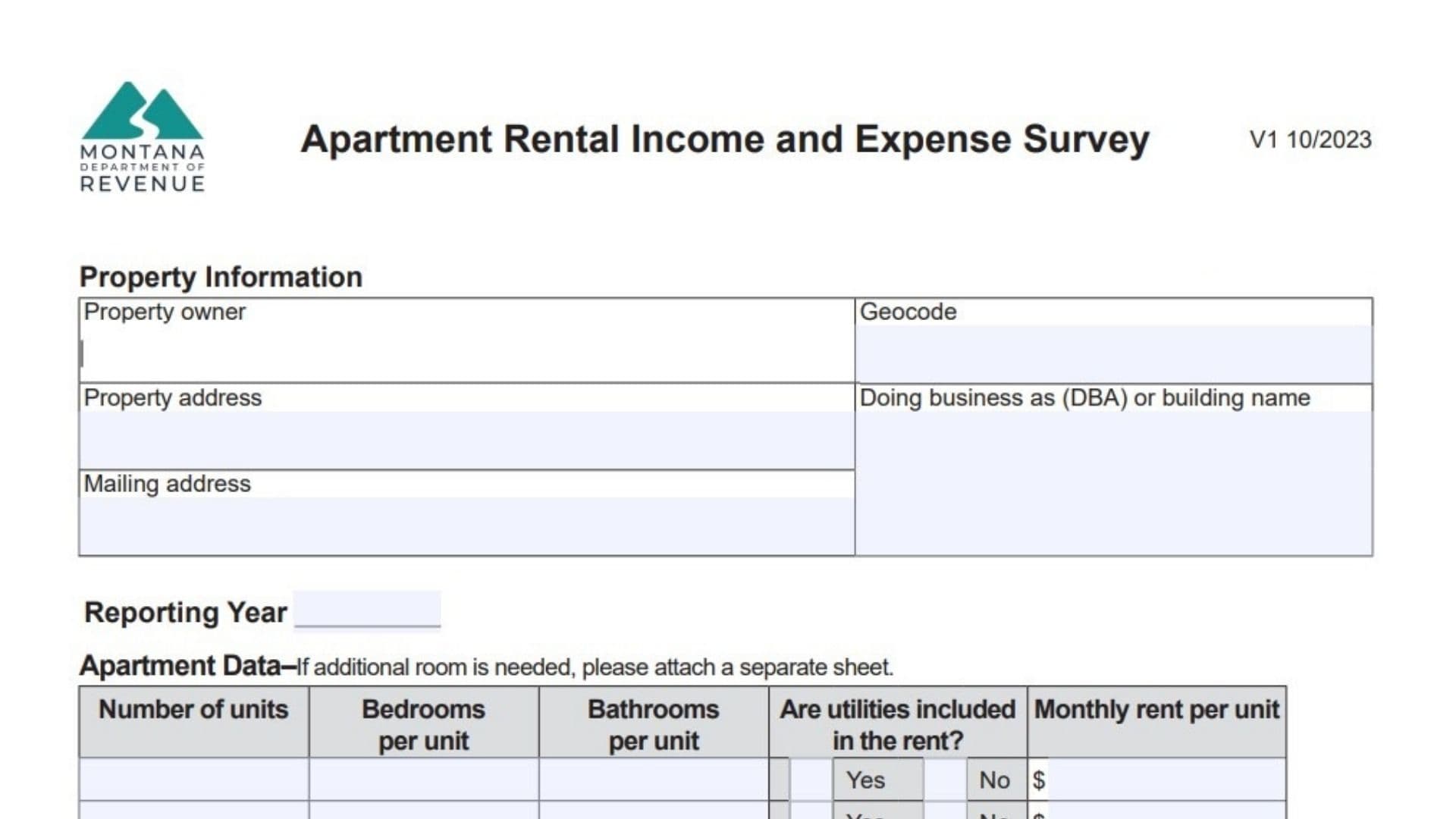
The Montana Apartment Rental Income and Expense Survey is a specialized document issued by the Montana Department of Revenue designed to collect detailed financial and operational data regarding rental properties within the state. Its primary purpose is to gather accurate market information concerning potential gross income, actual collected rents, vacancy losses, and a comprehensive breakdown of operating expenses ranging from advertising to utilities. By obtaining this data, the department can better understand current market conditions, assess property valuations more accurately, and ensure that tax assessments reflect the true economic reality of operating rental housing. The form requires property owners to disclose specific details about their units, such as bedroom and bathroom counts, utility inclusions, and parking arrangements, alongside a thorough report of the property’s annual financial performance over a specific reporting year.
How To File This Survey
Once you have completed all sections of the document, ensure that every field is legible and accurate. While the form itself contains specific data entry fields, it encourages property owners to reach out directly if there are any uncertainties regarding the process. For specific questions about submission methods or deadlines, or if you require assistance for the hearing impaired, you should utilize the contact information provided at the end of the document to reach the Montana Department of Revenue directly.

How to Complete Montana Apartment Rental Income And Expense Survey
Section 1: Property Information And Reporting Year
Begin by identifying the property and the period being reported.
- Property Owner: Enter the full legal name of the individual or entity that owns the property.
- Property Address: Provide the physical location address of the apartment complex or rental building.
- Mailing Address: List the address where correspondence regarding this property should be sent.
- Geocode: Input the specific geocode identifier assigned to your property parcel.
- Doing Business As (DBA) Or Building Name: Write the operating name of the business or the specific name of the building if it differs from the owner’s name.
- Reporting Year: Clearly state the calendar year for which the income and expense data is being provided.
Section 2: Apartment Data
This section requires a breakdown of the physical units and their rental characteristics. If you have more unit types than lines provided, attach a separate sheet.
- Number Of Units: For each row, enter the total count of units that share the same configuration.
- Bedrooms Per Unit: Indicate the number of bedrooms in this specific unit type.
- Bathrooms Per Unit: Indicate the number of bathrooms in this specific unit type.
- Are Utilities Included In The Rent?: Check the “Yes” box if the monthly rent figure includes utility costs, or “No” if tenants pay them separately.
- Monthly Rent Per Unit: Enter the dollar amount charged for rent for one unit of this type.
- Total Number Of Units: Sum the number of units listed above and write the grand total.
- Average Occupancy: Calculate and enter the average percentage of occupancy for the reporting year.
Section 3: Additional Rental Parking Data
Complete this section only if parking income is collected separately from the apartment rent.
- Number Of Garages: Count and list the total number of garage units available.
- Garage Rent: Enter the specific rental fee charged for a garage.
- Number Of Carports: Count and list the total number of carport spaces.
- Carport Rent: Enter the rental fee charged for a carport.
- Number Of Parking Spaces: Count and list the total number of general parking spaces rented out.
- Parking Space Rent: Enter the fee charged for a standard parking space.
Section 4: Concessions, Specials, Or Additional Comments
- Comments Box: Use this large open field to describe any rent concessions, move-in specials, or specific terms and conditions that affect the rental income. This helps explain discrepancies between potential and actual rent.
Section 5: Annual Income
It is recommended to have your income tax forms ready for reference when filling out this section.
- Potential Gross Income: Enter the total annual rent the property would generate if it were 100% occupied for the entire year.
- Actual Rent Collected: Record the actual total dollar amount received from tenants during the year.
- Vacancy And/Or Collection Loss: Enter the amount of income lost due to empty units or uncollected rent payments.
- Subsidized Rental Income: If applicable, list income received from government sponsorship programs, such as Section 8 vouchers or low-income housing tax credits.
- Miscellaneous Income: Include revenue from other sources tied to the property, such as laundry facilities or vending machines.
Section 6: Annual Operating Expenses
Enter the annual totals for each category below.
- Advertising: Record costs for marketing, including online listings, print ads, banners, sponsorships, and referral fees.
- Cleaning: Include expenses for janitorial services, window washing, carpet cleaning, snow removal, landscaping upkeep, and general cleaning contracts.
- Commissions: List fees paid specifically for leasing services or commissions to fill vacant spaces.
- Insurance: Enter the annual premium paid for property hazard and liability insurance.
- Legal And Accounting Fees: Include professional fees paid to attorneys, accountants, or bookkeepers for business-related services.
- Management Fees: Record the amount paid to a third-party agency to oversee daily property operations, usually calculated as a percentage of rent.
- Payroll And Benefits: Sum the costs for employee wages, salaries, bonuses, payroll taxes, and workers’ compensation for on-site staff.
- Mortgage Interest: Enter only the interest portion of mortgage payments paid to financial institutions; do not include the principal.
- Maintenance And Repairs: List costs for routine upkeep to keep the property operational, such as plumbing, electrical, lighting, and security system repairs. Do not include major capital replacements here.
- Supplies: Enter the cost of consumable items like office materials and cleaning supplies.
- Property Taxes: Record the total amount paid for property taxes during the reporting year.
- Utilities: Sum the costs for all owner-paid utilities, including water, sewer, gas, electricity, trash, internet, and phone.
- Depreciation Expense: Enter the annual non-cash deduction used to account for the loss in value of assets over time.
- Reserves For Replacement: List funds set aside for replacing short-lived items that will wear out before the building itself.
- Capital Expenses: Record major, non-annual expenditures such as replacing a roof, repaving a parking lot, or installing new air conditioning systems or building additions.
- Other Expenses: Use the three provided lines to list and label any additional costs that do not fit into the categories above.
Section 7: Clarification And Signatures
- Clarification Box: Provide a written explanation for any unusual numbers or irregularities in your income and expense figures to assist the reviewer.
- Survey Completed By: Print the name of the person who filled out the form.
- Title: Enter the job title of the person completing the survey.
- Email Address: Provide a contact email address.
- Date: Write the date the form was completed.
- Phone: Enter a direct phone number for any follow-up questions.