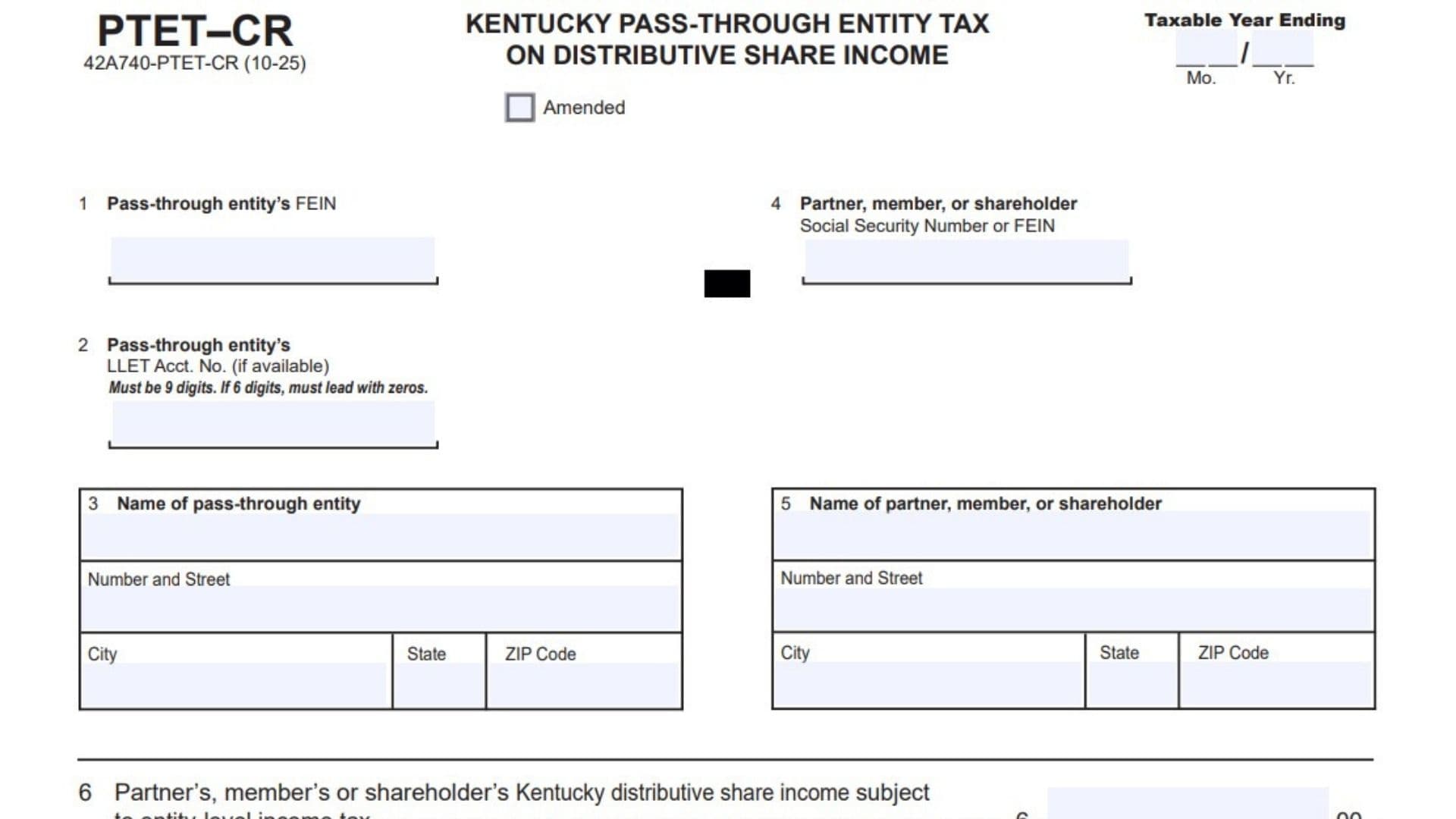
Form PTET-CR is Kentucky’s pass-through entity tax credit schedule for distributive share income subject to entity-level income tax. It is used with the entity’s PTET filing to show how much income is being attributed to a partner, member, or shareholder, and how that amount translates into tax liability and credit information. In practical terms, this form helps connect the entity-level tax calculation to the owners who receive distributive share income, so the numbers on the PTET return can be supported in a clear and organized way. The form also asks for identifying details for both the pass-through entity and the owner, which makes it easier to match the credit information to the correct taxpayer records. If the filing is amended, the amended box should be used so the department can tell it is a revised submission.
How To File Kentucky Form PTET-CR
Complete the schedule and attach the entire page to Form 740-PTET. Since the form is part of the larger PTET filing package, it should not be sent by itself. Make sure all identifying information is filled in correctly, the numbers tie to the entity-level tax return, and the page is submitted with the proper tax year ending information. If the filing is being changed after the original return, mark the amended box before submitting.

How to Complete Kentucky Form PTET-CR
Line 1: Taxable Year Ending
Enter the month and year that mark the end of the taxable year. Use the date format shown on the form.
Line 2: Pass-Through Entity’s FEIN
Write the entity’s federal employer identification number here. This should be the exact number assigned to the pass-through entity.
Line 3: Pass-Through Entity’s LLET Account Number
If available, enter the entity’s Kentucky LLET account number. The form notes that this number must be 9 digits, and if it has only 6 digits, zeros must be added to the front.
Line 4: Name Of Pass-Through Entity
Provide the full legal name of the pass-through entity. Include the business name exactly as it appears on tax records.
Line 5: Name Of Partner, Member, Or Shareholder
Enter the name of the partner, member, or shareholder receiving the distributive share income. Use the person’s full name.
Line 6: Partner, Member, Or Shareholder Social Security Number Or FEIN
Fill in the taxpayer identification number for the owner listed on the form. Use a Social Security Number for an individual or FEIN if the owner is another entity.
Line 7: Partner, Member, Or Shareholder’s Kentucky Distributive Share Income Subject To Entity-Level Income Tax
Report the amount of distributive share income that is subject to entity-level income tax. This is the base amount used to calculate the tax liability on the schedule.
Line 8: Tax Liability
Multiply the amount on Line 7 by 4.0 percent, or .04. Enter the resulting tax amount on this line.
Line 9: Reserved For Future Use
Leave this line blank unless the instructions specifically say otherwise in the future. The form identifies this space as reserved for later use.
Line 10: Kentucky Income Tax Paid By Entity
Enter the amount of Kentucky income tax that was paid by the entity. This line reflects the tax amount already paid at the entity level.
Filing Tips
Be sure the owner information matches the entity records and the PTET return. Check the math carefully, especially on the line where tax liability is calculated from the distributive share income. If the form is being filed as an amendment, clearly mark the amended box so the department can process it correctly. Keep a copy of the completed schedule with the main PTET filing for your records.
FAQs
What Is Form PTET-CR Used For?
It reports distributive share income and related tax information for a PTET filing.
Do I File It Separately?
No, it is attached to Form 740-PTET.
What Tax Rate Is Used On Line 8?
The schedule uses 4.0 percent, or .04.
Can This Form Be Amended?
Yes, if needed, mark the amended box before filing.