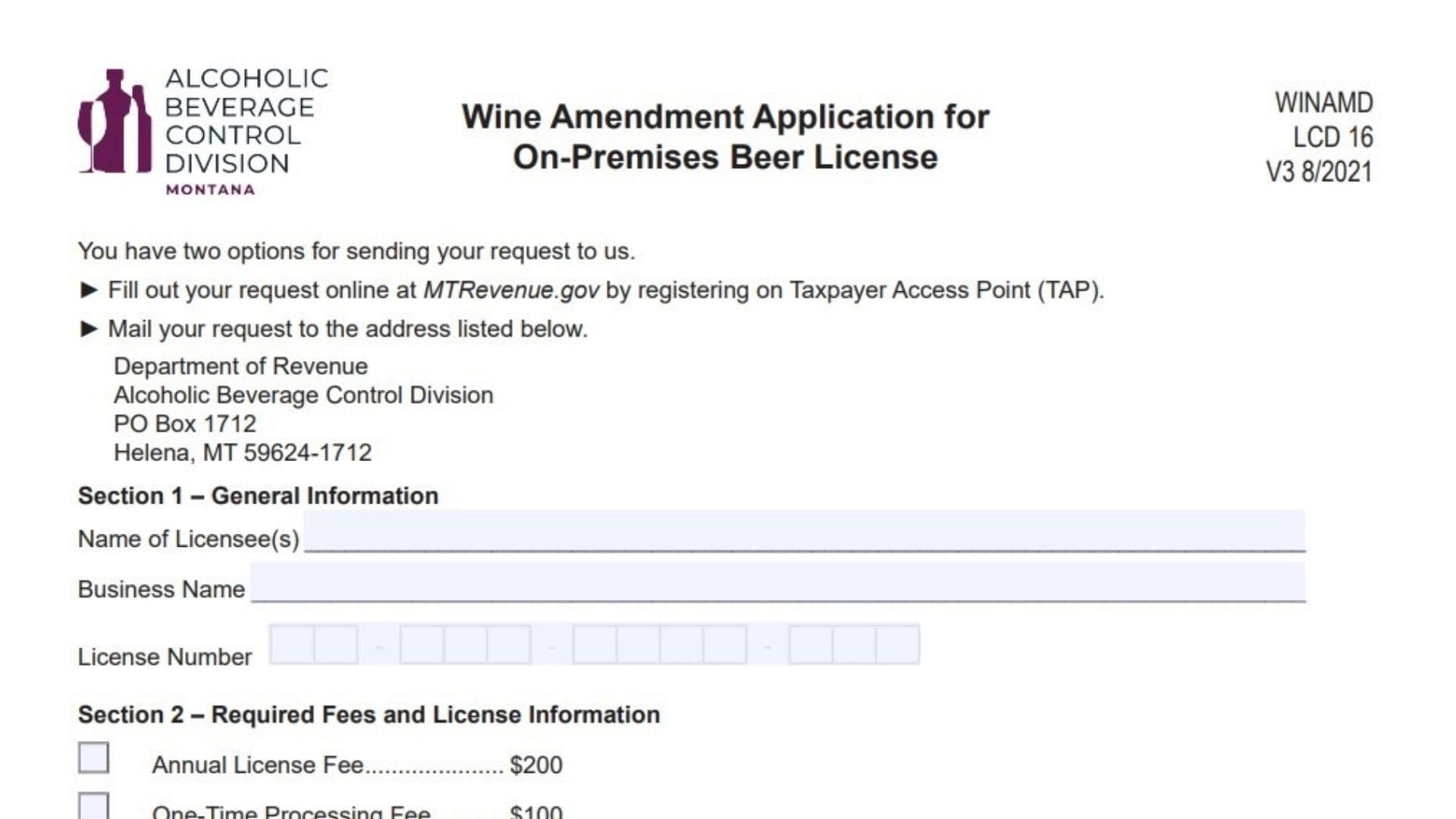
Montana Form WINAMD is the Wine Amendment Application for holders of an existing on‑premises beer license who want the legal authority to serve wine in addition to beer. It is handled by the state’s Alcoholic Beverage Control Division and is used to confirm that the premises and business operations meet the qualifications for adding wine service. The form gathers basic licensee details, fee information, seating and food service qualifications, and a sworn declaration from the applicant. By submitting it with the required attachments and fees, a beer licensee can request that their license be amended so that wine may be sold and served on the same premises.
How To Submit The Request
You have two ways to send this application. You can complete the request online by registering and filing through the state’s Taxpayer Access Point (TAP) system. Alternatively, you can print and mail the completed form and supporting documents to the Alcoholic Beverage Control Division at the address listed on the form in Helena. Choose one method and make sure all sections are complete, the required documents are attached, and the fee payment is included before you submit.

How to Complete Montana Wine Amendment Application Form WINAMD
Section 1 – General Information
In this section you identify who is applying.
- Name Of Licensee(s)
Enter the full legal name or names of the individuals or entities who currently hold the on‑premises beer license. If there are multiple licensees, list all as they appear on the existing license. - Business Name
Write the business’s trade name or “doing business as” (d.b.a.) name exactly as it appears on your liquor license records. - License Number
Enter your existing on‑premises beer license number in the three-part format shown with dashes. Double-check that this matches your current license certificate.
Section 2 – Required Fees And License Information
This section calculates and records the fees due with your amendment request.
- Annual License Fee – $200
This is the recurring yearly fee associated with adding the wine privilege to your existing on‑premises beer license. You do not change this amount; it is preset on the form. - One-Time Processing Fee – $100
This is a single, nonrecurring fee charged to process your wine amendment application. Again, this amount is fixed on the form. - Total Due – $300
The form adds the annual license fee and the processing fee together to show the total due of $300. This is the full amount you owe when submitting the application. - Total Enclosed
On the blank line, write the dollar amount of the payment you are including with the form. In most cases this should be $300, unless you have been instructed otherwise by the department. Make sure your check or payment instrument matches this figure.
Section 3 – Qualifications
This section ensures your premises and operations meet the basic criteria for a wine amendment.
- Floor Plan Attachment
You are asked to attach a current floor plan of the licensed premises. The plan must show external dimensions and interior layout, and it should include the business name (d.b.a.) and the date, all on an 8½ x 11 sheet of paper. After you have attached the floor plan, mark the option “Attached.” If you have not included it, mark “Not Attached,” but be aware that failing to provide the plan can delay or prevent approval. - Seating Capacity Question
The form asks whether you have at least 12 seats at tables or booths. Answer “Yes” if your premises offers 12 or more seats in these types of seating areas; answer “No” if you do not meet this minimum. Seating at bars or counters does not substitute for the required table or booth seats, so base your answer on your actual table/booth count. - Menu And Food Service Question
You must attach a copy of your menu and confirm that you offer food to your patrons. Attach a current menu that reflects the food service you provide, then answer the question “Do you offer food?” by marking “Yes” if food is available to customers or “No” if it is not. A wine amendment can only be granted if an existing on‑premises beer licensee offers food, so you must both attach the menu and be able to truthfully answer “Yes” here.
Section 4 – Declaration And Affidavit
This section is your sworn statement that everything in the application is true and complete.
- Signature
The applicant or a duly authorized representative of the licensee must sign here. By signing, they declare under penalty of false swearing that all responses and attachments are accurate and complete. - Date
Enter the date the form is signed, using a clear month/day/year format. - Printed Name
Print the name of the person who signed, so that the department can clearly identify the signer. - Title
State the signer’s title or relationship to the licensee, such as “Owner,” “Member,” “Manager,” or “Authorized Agent.”
After completing this section, review all parts of the form to ensure names, license numbers, attachments, and payment amounts are correct, then submit via TAP or by mail according to your chosen method.