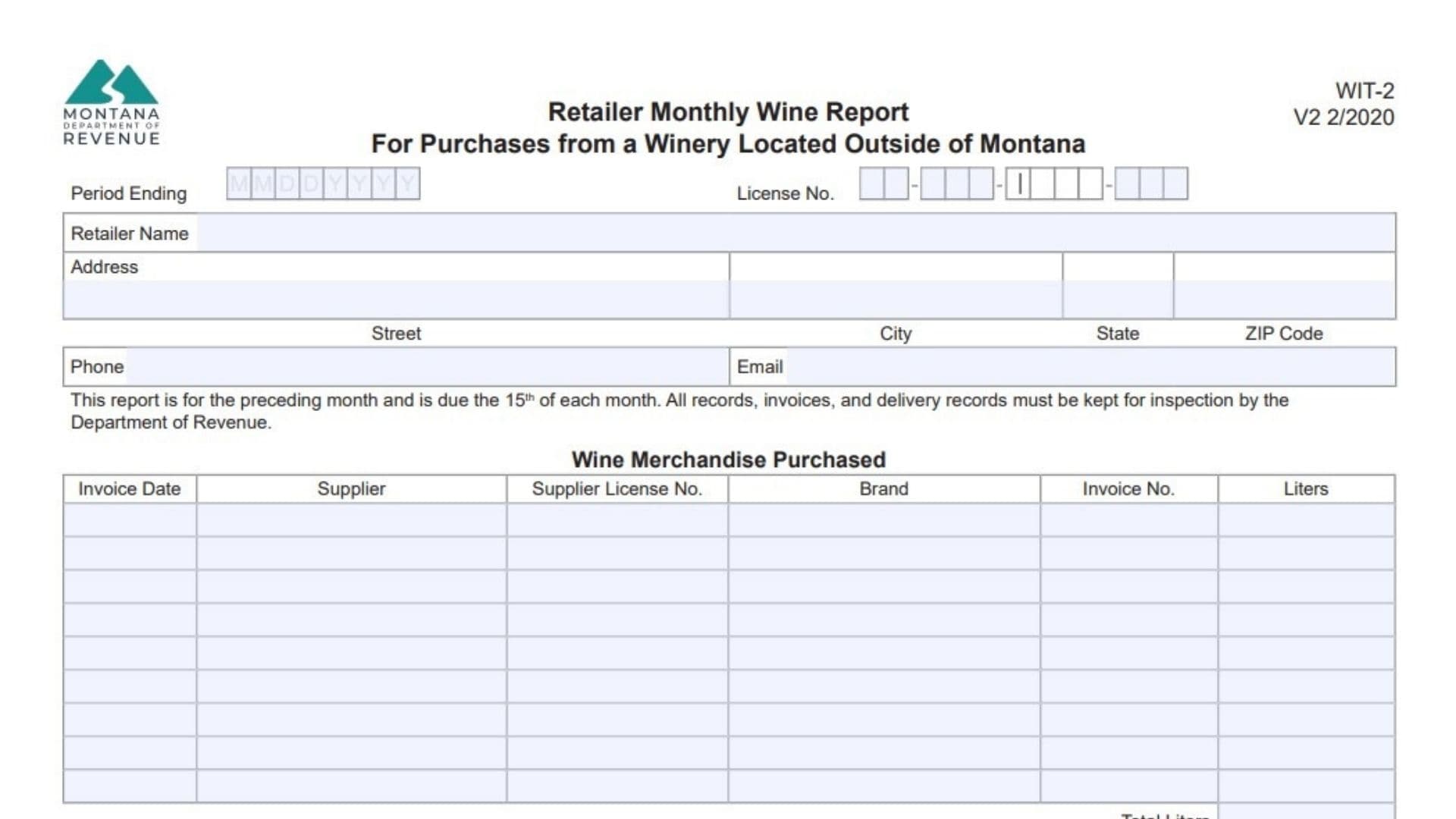
The Montana Form WIT-2, officially known as the Retailer Monthly Wine Report, is a mandatory regulatory document designed for businesses that purchase wine merchandise from wineries located outside the state borders. Its primary purpose is to ensure that the state government can effectively track and monitor cross-border alcohol transactions by requiring retailers to disclose specific details about every out-of-state wine acquisition. By compiling information such as supplier details, invoice data, and the total volume of liters purchased, this form acts as a crucial auditing tool for local tax and beverage control authorities. Retailers are legally bound to use this document to maintain full transparency regarding their inventory sources, making it an essential part of the state’s broader alcoholic beverage regulation system. Maintaining these records accurately ensures that businesses remain in good standing while avoiding potential compliance issues or penalties during routine inspections.
How To File Montana WIT-2 Form
You must submit this document by the fifteenth day of every month, covering the activities from the preceding month. Once completely filled out and signed, the paperwork should be mailed directly to the Alcoholic Beverage Control Division of the local state revenue department in Helena. Additionally, you are required to securely retain all associated invoices, delivery logs, and purchasing records at your business location, as these materials must be readily available for official inspection upon request.

How To Complete Montana Form WIT-2
Period Ending
Specify the final day of the reporting month by entering the exact month, day, and year.
License No.
Provide your official state-issued business license number using the formatted dashes.
Retailer Name
Write the legal operating name of your business or establishment.
Address
Enter the complete physical location of your business, starting with the street name and number.
City
List the municipality where your retail operation is located.
State
Provide the relevant state abbreviation for your business address.
ZIP Code
Input your corresponding postal delivery code.
Phone
Include a direct contact telephone number where you or a representative can be reached.
Email
Supply a valid electronic mail address for official correspondence and inquiries.
Invoice Date
Document the exact date printed on the billing statement you received from the out-of-state winery.
Supplier
State the full name of the external winery or distributor that provided the alcohol.
Supplier License No.
Record the official operational license number belonging to the out-of-state vendor.
Brand
Identify the specific label or brand name of the wine merchandise acquired.
Invoice No.
Write down the unique identification number found on your purchase receipt or billing statement.
Liters
Enter the exact volume of wine purchased from that specific supplier, measured strictly in liters.
Total Liters
Calculate and provide the combined sum of all wine volumes listed in the previous column for the entire reporting period.
Signed
Affix your physical signature to certify that all the provided information is accurate and truthful.
Title
State your official job position or role within the retail business next to your signature.