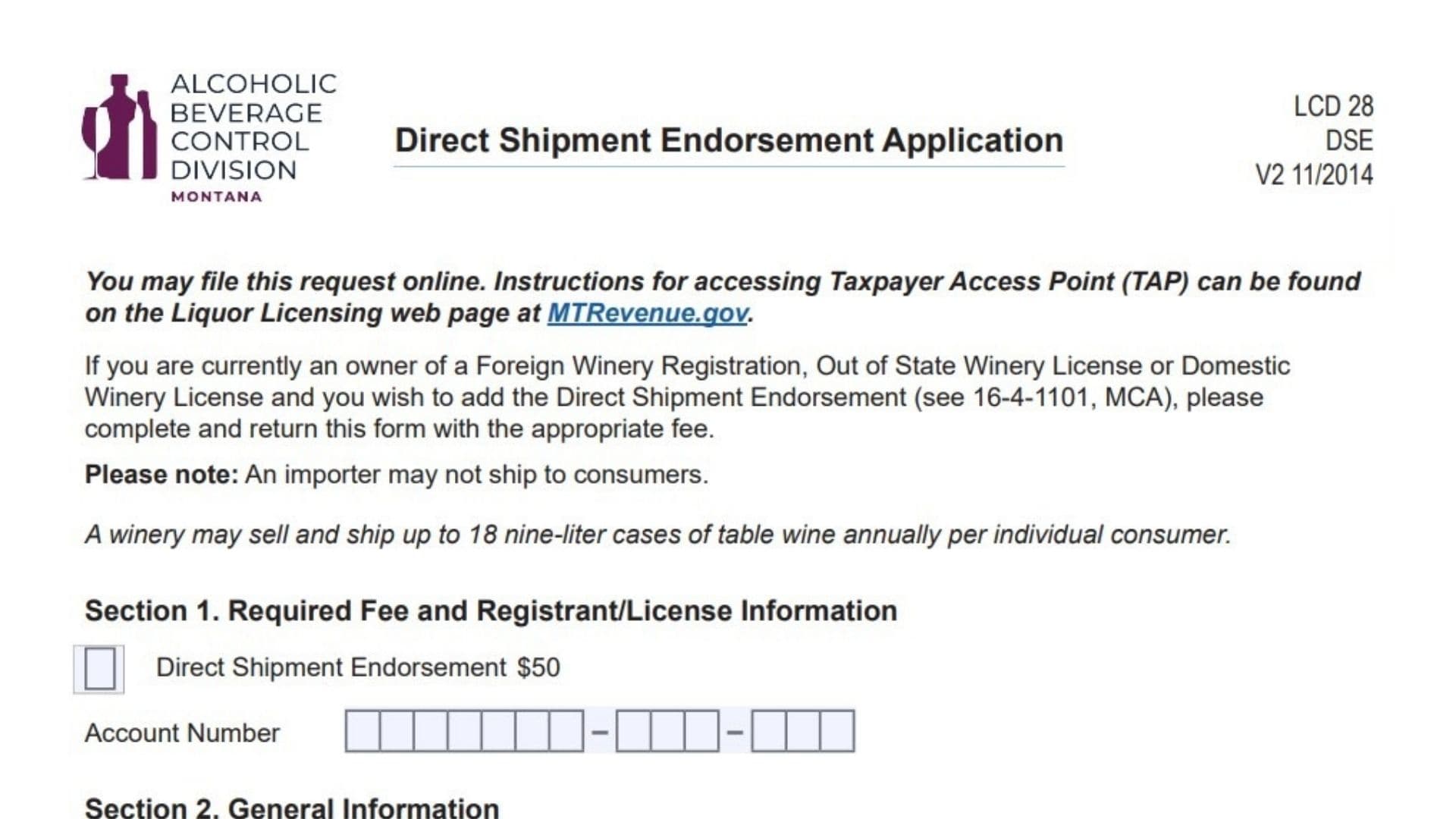
Wineries looking to tap into the Big Sky Country market by shipping bottles directly to customers’ doorsteps must first navigate Montana’s specific regulatory landscape. The Montana Form DSE (Direct Shipment Endorsement Application) is the essential key to unlocking this privilege. This form allows holders of a Foreign Winery Registration, Out of State Winery License, or Domestic Winery License to add a “Direct Shipment Endorsement” to their existing credentials, granting them the legal authority to ship up to 18 nine-liter cases of table wine annually to any individual consumer in Montana. It is important to note that this privilege is exclusive to wineries; importers are strictly prohibited from shipping directly to consumers. Whether you are a small family vineyard in California or a large producer in Oregon, failing to secure this endorsement before mailing your products can lead to significant fines and the revocation of your ability to do business in the state. This guide provides a clear, line-by-line explanation of how to complete the application, calculate the necessary fees, and submit your request to the Montana Department of Revenue’s Alcoholic Beverage Control Division.
What Is Montana Form DSE
The Montana Form DSE is a concise, one-page application used by the Montana Department of Revenue to process requests for direct-to-consumer wine shipping privileges. It is not a standalone license application but rather an “endorsement” that attaches to an existing winery license or registration. By filing this form, a winery formally requests permission to bypass the traditional three-tier distribution system (producer -> distributor -> retailer) for limited quantities of personal shipments. The form serves as a declaration of intent and a mechanism to collect the required $50 endorsement fee. It collects basic business information to link the endorsement to the correct tax account and includes a sworn affidavit where the applicant attests to the truthfulness of the information provided. While the form is simple, its legal weight is significant, as it subjects the winery to Montana’s laws regarding alcohol distribution and taxation.
How To File Montana Form DSE
You have two options for filing the Montana Form DSE: online or by mail. The state encourages online filing through the Taxpayer Access Point (TAP), which can be accessed via the Liquor Licensing web page at MTRevenue.gov. Online filing is generally faster and reduces the risk of errors. However, if you prefer paper, you can mail the completed form along with your payment. The check should be made payable to the “Montana Department of Revenue” and you should write your account number on the check to ensure it is credited correctly. The mailing address is: Montana Department of Revenue, Alcoholic Beverage Control Division, PO Box 1712, Helena, MT 59624-1712. If you have questions during the process, the department provides a contact number: (406) 444-6900.

How To Complete Montana Form DSE
Section 1: Required Fee And Registrant/License Information
The first section establishes the cost and the account to be charged.
- Fee: The form lists a fixed fee of $50 for the Direct Shipment Endorsement. You must include this amount with your application.
- Account Number: Enter your existing Montana Liquor License or Registration Account Number in the designated boxes. This links the endorsement to your current winery license.
Section 2: General Information
This section identifies who is asking for the endorsement.
- Name of Registrant/Licensee: Enter the legal name of the individual or entity that holds the winery license.
- Business Name: Enter the “Doing Business As” (DBA) name if it is different from the legal name.
- Location of Premises: Provide the physical address of the winery, including the Street Address, City, State, and Zip Code. This should match the location on your primary liquor license.
Section 3: Declaration And Affidavit
The final section is a legal certification.
- Declaration: Read the statement carefully. You are declaring under penalty of false swearing that you are the applicant or an authorized representative and that all information is true, correct, and complete.
- Signature: Sign the document in the space provided.
- Date: Enter the date you signed the application.
- Printed Name: Clearly print the name of the person who signed.
- Title: Enter the official job title of the signer (e.g., Owner, President, Compliance Manager).