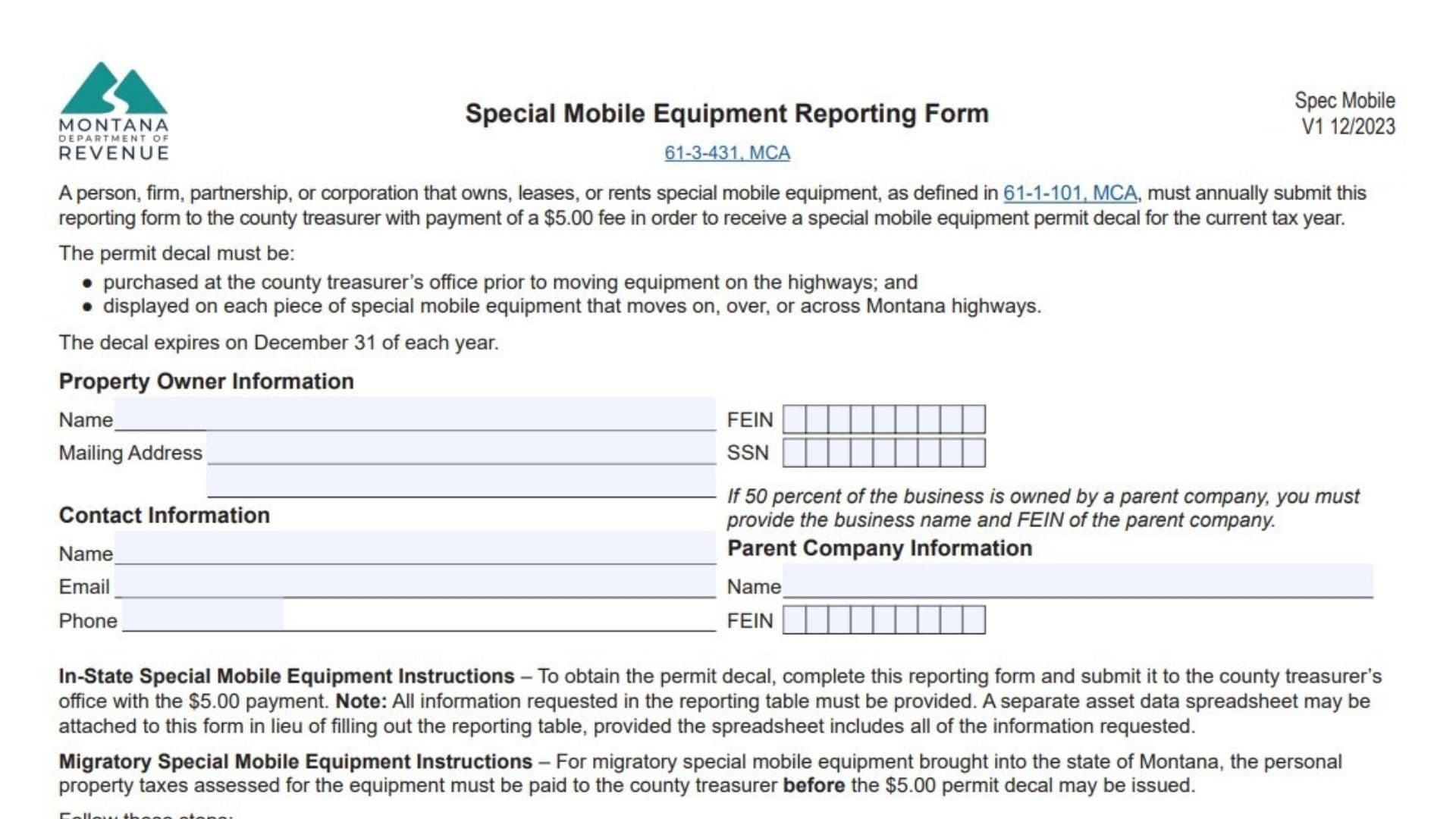
The Montana Special Mobile Equipment Reporting Form is a mandatory declaration filed annually by individuals or businesses that own, lease, or rent “special mobile equipment” as defined by Montana law. This form is the prerequisite for obtaining a “special mobile equipment permit decal,” which allows such machinery to legally move on, over, or across Montana highways. The form serves two primary functions: first, it updates the county treasurer’s records with current ownership and equipment details; second, it facilitates the payment of personal property taxes for migratory equipment brought into the state. By submitting this form along with a $5.00 fee per decal, owners ensure their heavy machinery—often construction or industrial vehicles not designed for general highway transportation—is compliant with state regulations. The decal received expires on December 31st of each year and must be displayed on the equipment before it enters public roadways.
How to File Montana Special Mobile Equipment Reporting Form
In-State Equipment:
Submit the completed form and the $5.00 fee to the county treasurer’s office.
- Note: You may attach a separate asset data spreadsheet instead of filling out the table, provided it contains all the same required information.
Migratory Equipment (Brought into Montana):
- Submit the completed form to the Department of Revenue field office that services the county where the equipment will first be used.
- The Department of Revenue will calculate the taxable value and tax amount.
- Once calculated, go to the county treasurer’s office to pay the personal property tax due and the $5.00 decal fee.

How to Complete Montana Special Mobile Equipment Reporting Form
Property Owner Information
- Name: Enter the full legal name of the individual or business that owns the equipment.
- Mailing Address: Provide the complete mailing address for the owner.
- FEIN / SSN: Enter the Federal Employer Identification Number (for businesses) or Social Security Number (for individuals).
Contact Information
- Name: Enter the name of the primary contact person.
- Email: Provide a valid email address for correspondence.
- Phone: Enter a direct phone number for the contact person.
Parent Company Information
Complete this section only if 50 percent or more of the business is owned by a parent company.
- Name: Enter the name of the parent company.
- FEIN: Enter the parent company’s Federal Employer Identification Number.
Special Mobile Equipment Reporting Table
For each piece of equipment, provide the following details in the table rows:
- Physical Location: The specific location where the equipment is kept or used.
- Asset Number: The internal asset ID number assigned by the owner.
- Description: A detailed description of the equipment, including any attached options or modifications.
- Year MFD: The manufacturing year of the equipment.
- Make: The brand or manufacturer name.
- Model or Size: The specific model name/number or size classification.
- Serial or VIN Number: The unique manufacturer’s serial number or Vehicle Identification Number.
- Acquired Year: The year the current owner purchased or acquired the item.
- Acquired Total Cost: The total purchase price or cost of acquisition.
- Migratory (Yes or No): Enter “Yes” if the equipment was brought into the state after January 1. Otherwise, enter “No”.
- Entry Date: If “Yes” was selected for Migratory, enter the specific date the equipment entered Montana.
Affidavit and Signature
By signing, you affirm under penalty of law that all provided information is true, correct, and complete.
- Preparer’s Signature: The person filling out the form must sign here.
- Date: Enter the date of signing.
- Print Preparer’s Name: Clearly print the name of the signer.
- Phone: Enter the preparer’s phone number.
- Email: Enter the preparer’s email address.