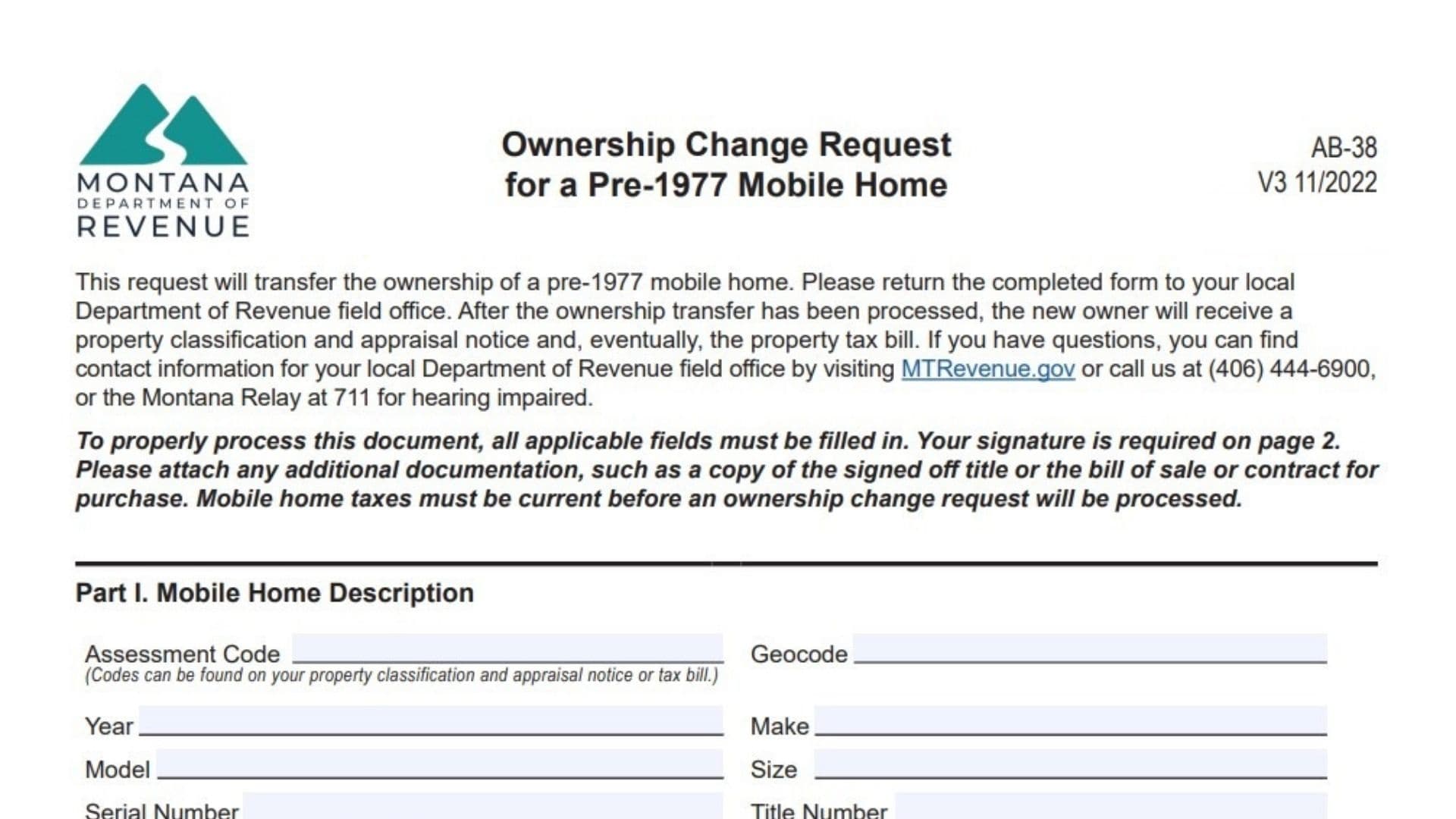
Montana Form AB-38, officially titled “Ownership Change Request for a Pre-1977 Mobile Home,” is a specialized legal document used by the Montana Department of Revenue to track and process ownership transfers for mobile homes built before 1977. Unlike newer manufactured homes that always carry formal titles similar to vehicles, older mobile homes in Montana often occupy a unique legal space where ownership records must be carefully updated with the state’s tax authorities to ensure property tax bills are sent to the correct person. This form serves as the primary mechanism for a buyer and seller to declare a change in hands, ensuring that the property’s tax classification and appraisal notice are updated. It acts as a bridge between the private sale and the public tax record, requiring valid signatures and, in many cases, notarization to prevent fraudulent transfers. Filing this form is mandatory for the new owner to establish legal responsibility for the home’s taxes and to avoid future legal complications regarding ownership rights.
How To File Montana Form AB-38
Filing Form AB-38 involves a few critical steps beyond just filling out the paper. First, ensure that all property taxes on the mobile home are current; the state explicitly forbids processing an ownership transfer if there are unpaid back taxes. Once you have confirmed the tax status and completed the form (including the required signatures and notarization in Part V), you must submit it to your local Department of Revenue field office. You generally cannot just mail this to a central state address; it is best handled at the local county level where the property is located to ensure immediate processing. Along with the form, you must attach supporting documentation, which typically includes a copy of the signed-off title (if one exists), a bill of sale, or a purchase contract. These documents prove the validity of the transfer declared on the form.

How To Complete Montana Form AB-38
Part I. Mobile Home Description
Assessment Code
Enter the specific assessment code for the mobile home, which you can find on a previous property tax bill or classification notice.
Geocode
Provide the 17-digit geocode assigned to the property, also available on tax documents or via the state’s property lookup tools.
Year
Enter the 4-digit year the mobile home was manufactured (must be 1976 or earlier).
Make
List the manufacturer of the mobile home (e.g., Nashua, Skyline).
Model
Write the specific model name of the home.
Size
Indicate the dimensions of the home (width x length).
Serial Number
Enter the manufacturer’s serial number found on the home’s data plate or frame.
Title Number
If the home has an existing title, enter that number here.
Physical Address Of Mobile Home
Provide the actual street address where the mobile home is currently sitting.
Mobile Home Park Name (If Applicable)
If the home is located in a leased park, write the name of that facility.
Name Of Land Owner
List the name of the person or entity who owns the land under the home (this may be different from the home owner).
Are Any Outbuildings Included?
Check “Yes” or “No” to indicate if sheds, garages, or decks are part of the sale. If yes, describe them in the space provided.
Date Acquired
Enter the official date (MM/DD/YYYY) the new owner took possession of the home.
Are The Mobile Home Taxes Paid?
Check “Yes” or “No.” Note that if you check “No,” the transfer cannot proceed until they are paid.
Did The Mobile Home Move?
Check “Yes” or “No” to indicate if the home was physically relocated during this transaction.
Will The Mobile Home Move In The Near Future?
Check “Yes” or “No” regarding potential future relocation plans.
Part II. Mobile Home Ownership
New Owner Name
Print the full legal name of the person(s) buying or receiving the home.
New Owner SSN Or FEIN
Enter the last 4 digits of the new owner’s Social Security Number or Federal Employer ID Number.
New Owner Mailing Address
Provide the address where the new owner wants to receive tax bills and official notices.
New Owner Phone & Email
List valid contact information for the new owner.
Previous Owner Name
Print the full legal name of the seller or current recorded owner.
Previous Owner SSN Or FEIN
Enter the last 4 digits of the seller’s SSN or FEIN.
Previous Owner Mailing Address
Provide the seller’s forwarding or current mailing address.
Previous Owner Phone & Email
List valid contact information for the previous owner.
Part III. Mobile Home Sale Information
Mobile Home Sale Price
Enter the actual dollar amount paid for the mobile home.
Was The Mobile Home Advertised As Being For Sale?
Check “Yes” or “No” to indicate if the home was listed publicly (e.g., online, yard sign, realtor).
Was The Sale Between Relatives Or Business Partners?
Check “Yes” or “No” to disclose if this was an “arm’s length” transaction or a deal between connected parties.
Was A Trade Involved In This Sale?
Check “Yes” or “No” if any goods or services were exchanged instead of or in addition to money.
Was The Seller Forced To Sell?
Check “Yes” or “No” (e.g., foreclosure, divorce mandate).
Was The Buyer Forced To Buy?
Check “Yes” or “No” (e.g., legal obligation).
Part IV. Affirmation And Signature
Signature
The person filing the form must sign here to certify the information is true under penalty of perjury.
Date
Enter the date the form was signed.
Print Name
Clearly print the name of the person who signed.
Name Of Person Filing This Form
If someone other than the owner listed on Page 1 is filing this (like an agent), write their name here.
Part V. Notary Or County Treasurer’s Seal
State Of Montana / County Of
The notary or treasurer will fill in the location where the document is being notarized.
Signed Before Me On / By
The notary records the date and the name of the person signing (usually the seller/buyer).
Signature / Seal
The Notary Public or County Treasurer must sign and affix their official seal here to validate the identity of the signers. This step is mandatory unless you attach a previously notarized bill of sale or title.
Part VI. For Department Of Revenue Office Use Only
Leave this entire section blank; it is for official state use to record the processing status.