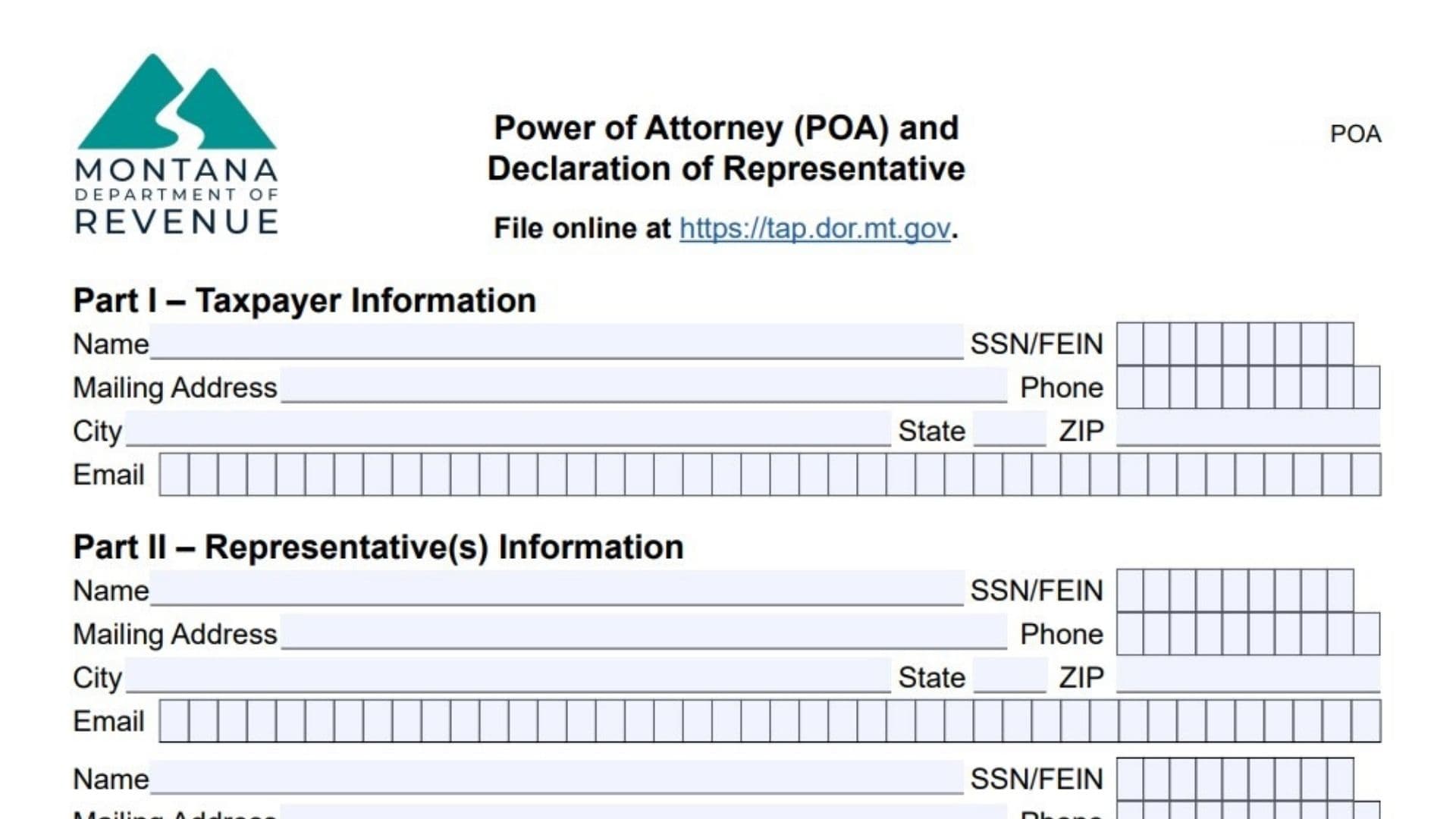
Montana Form POA is the official legal document used to authorize another person (like an accountant, tax preparer, or family member) to represent you before the Montana Department of Revenue. By filing this form, you grant that representative permission to receive confidential tax information, sign documents, and act on your behalf regarding specific tax matters and years. It does not relieve you of your tax liability, but it allows the Department to talk to your chosen agent. You can also use this form to revoke prior authorizations.
How To File Montana Form POA
You can file Form POA through the TransAction Portal (TAP) at tap.dor.mt.gov for faster processing, or you can mail/fax the paper form.
- Mail: Montana Department of Revenue, PO Box 5805, Helena, MT 59604-5805.
- Fax: (406) 444-7723.

How To Complete Montana Form POA
Section 1: Taxpayer Information
Taxpayer Name(s) And Address
Enter your name (and spouse’s name if filing jointly) and mailing address.
- Individual: Enter your name and Social Security Number (SSN).
- Business: Enter the business name and Federal Employer Identification Number (FEIN).
- Estate/Trust: Enter the name and FEIN.
Contact Information
Enter a daytime telephone number and email address.
Section 2: Representative(s)
Representative Name And Address
Enter the full name and mailing address of the person(s) you are authorizing.
- Firm Name: If the representative belongs to a firm, you can list the firm, but you generally authorize specific individuals.
- Contact Info: Enter their telephone, fax, and email.
- Check Box: Check the box if you want this representative to receive copies of notices and communications.
Section 3: Tax Matters
You must specify what tax matters the representative can handle.
- Tax Type: Enter the specific tax type (e.g., Income Tax, Withholding, Corporate Tax).
- Tax Year(s) Or Period(s): Enter the specific years or periods (e.g., 2023, 2024, or “2022-2024”). You can enter “All Future Years” if intended, but be specific if you want to limit it.
- ID Number: Enter the relevant tax ID (SSN/FEIN) for that tax type.
Section 4: Authorized Acts
This section defines what the representative can do.
- General Authorization: By default, the representative is authorized to receive confidential information and perform any act you can perform with respect to the specified tax matters (except substituting another representative or delegating authority, unless specifically added).
- Specific Acts: You can check boxes or write in limitations to restrict what they can do (e.g., “Receive info only,” “No signing authority”).
Section 5: Retention/Revocation of Prior Power(s) of Attorney
- Revocation: Filing a new POA for the same tax matters and periods generally revokes all prior POAs for those specific matters.
- Retention: If you want previous POAs to remain in effect in addition to this new one, you must check the box indicating you do not want to revoke prior authorizations and attach a copy of the old POA.
Section 6: Signature of Taxpayer(s)
Signature
The taxpayer must sign and date the form.
- Joint Return: If authorization applies to a joint return, both spouses must sign if they want the representative to handle matters for both.
- Business/Entity: An authorized officer, partner, or member must sign.
- Date: Enter the date of signing.
- Title: Enter the title if signing for a business.
Section 7: Declaration of Representative
Declaration
The representative(s) listed in Section 2 must sign and date this section to accept the appointment.
- Designation: They must enter a designation code (e.g., A for Attorney, B for CPA, C for Enrolled Agent, F for Family Member, etc.) to indicate their professional status or relationship.
- Signature: The representative signs here.