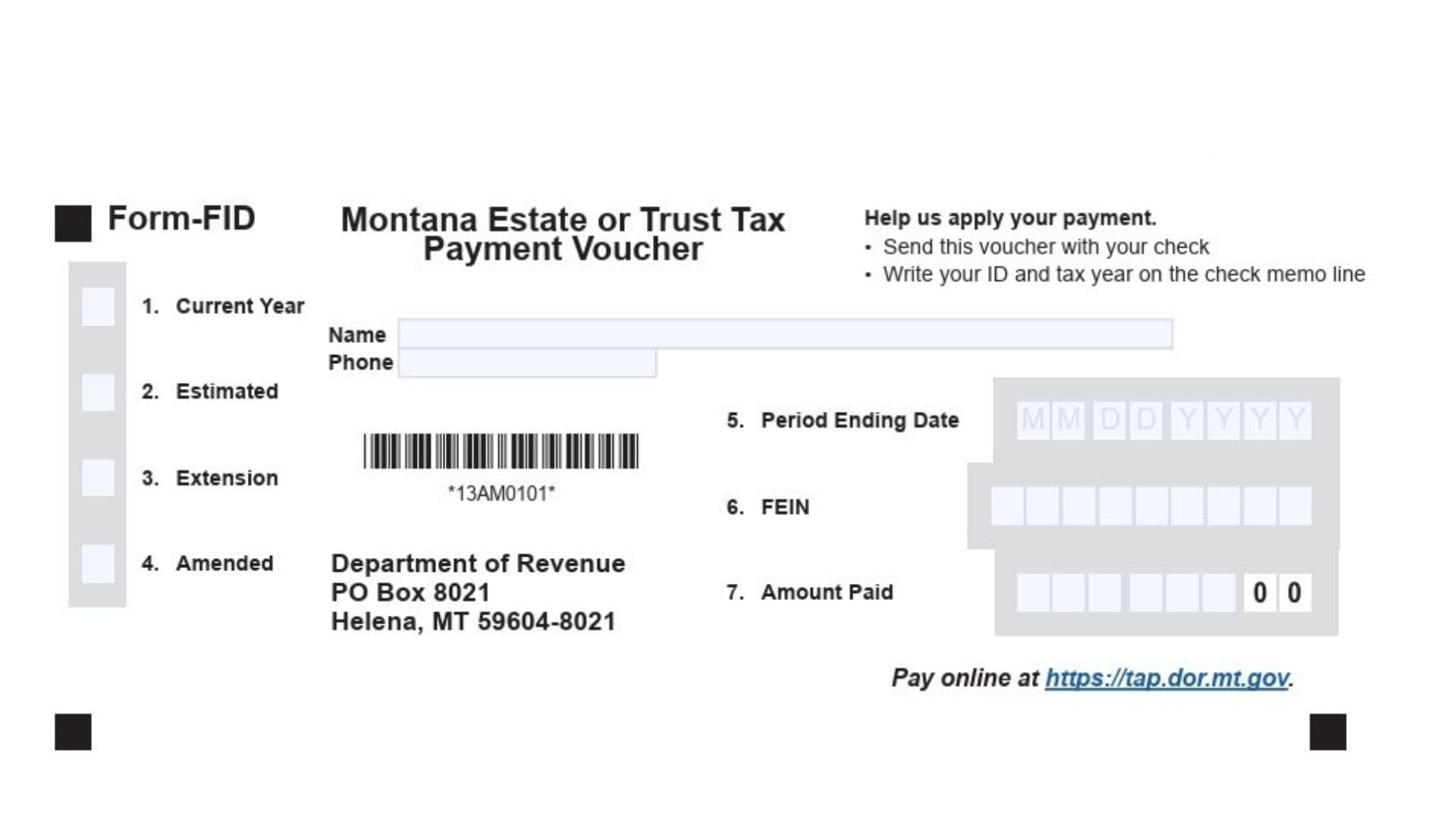
The Montana Estate or Trust Tax Payment Voucher Form FID is a document used by taxpayers to submit payments for estate or trust taxes to the Montana Department of Revenue. This form serves as a voucher that helps ensure your payment is applied correctly to your account, whether you are filing for the current year, an amended return, or an extended filing period. It’s crucial for anyone dealing with Montana estate or trust tax to understand this form’s purpose to ensure timely and accurate payments. The form also provides instructions for submitting payments by check or electronically, including an option to pay through the Montana Department of Revenue’s online portal.
How to File Montana Form FID
Filing the Montana Estate or Trust Tax Payment Voucher Form FID is straightforward if you follow the steps carefully. You can submit your payment by check or electronically, and the form includes all necessary instructions for both methods. Make sure to fill out the required fields on the form correctly to avoid delays.
Pay by Check
- Complete the Payment Voucher:
- Name and Phone Number: Enter the name of the individual or entity responsible for the payment, along with a contact phone number.
- Current Year: Enter the tax year you are paying for.
- Estimated, Amended, or Extension: Select whether the payment is for an estimated return, an amended return, or an extension.
- Period Ending Date: Provide the end date of the period you are paying for.
- FEIN: Enter your Federal Employer Identification Number (FEIN) if applicable.
- Amount Paid: Enter the total amount being paid.
- Write a Memo on Your Check:
- Write your FEIN and the tax year in the memo line of your check. This helps the Department of Revenue apply your payment to the correct account.
- Mail the Voucher and Check:
- Do not staple or tape the voucher to the check or tax return.
- Detach the completed voucher and mail it with your check to:
Montana Department of Revenue PO Box 8021 Helena, MT 59604-8021
Pay Electronically
- Visit the Montana TransAction Portal (TAP):
- Go to https://tap.dor.mt.gov to pay electronically.
- You can pay using e-check (no fee) or by credit/debit card (small fee).
- Use Tax Software:
- Many tax software programs allow you to pay your tax when you file your return. Some software also offers the option to schedule your payment for a later date.
- If your payment is $500,000 or more, you are required to pay electronically.

How to Complete Montana Form FID
- Name: Enter the full name of the individual or entity responsible for the payment.
- Phone: Provide a contact phone number in case the Montana Department of Revenue needs to reach you for any issues with your payment.
- Current Year: Fill in the tax year you are making the payment for.
- Estimated, Amended, or Extension: Choose the appropriate option that reflects the nature of the payment.
- Estimated: If this is an estimated payment for the current tax year.
- Amended: If this payment is being made for an amended return.
- Extension: If you are filing an extension and making a payment to cover the taxes due.
- Period Ending Date: Enter the end date of the tax period you are paying for (usually the end of the fiscal year).
- FEIN: If applicable, provide your Federal Employer Identification Number.
- Amount Paid: Indicate the total amount being paid with this voucher.
Additional Instructions
- Sending Your Payment: If you are paying for multiple tax periods, make sure to use a separate voucher for each period.
- Do Not Staple: Do not staple or tape the payment voucher to your check or tax return.
- Online Payment: You can also pay online through the Montana TransAction Portal at https://tap.dor.mt.gov.
- Payment of $500,000 or More: Payments over $500,000 must be made electronically.